What is BILL?
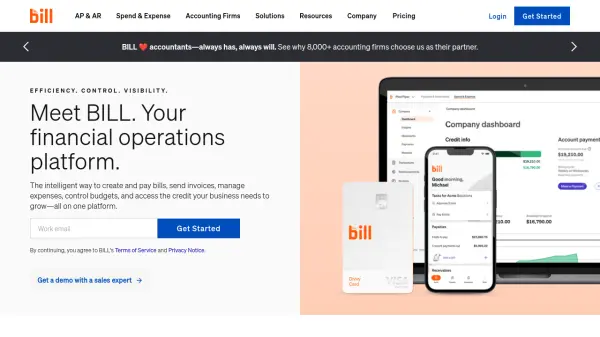
BILL is a comprehensive financial operations platform designed to streamline and automate key financial processes. It offers a unified solution for accounts payable (AP), accounts receivable (AR), spend, and expense management.
The platform integrates seamlessly with leading accounting software, such as QuickBooks, Sage Intacct, Oracle NetSuite, Microsoft Dynamics, and Xero, providing automatic two-way data synchronization. This integration, coupled with BILL's intelligent automation capabilities, eliminates manual data entry, reduces errors, and provides real-time visibility into cash flow.
Features
- Accounts Payable Automation: Streamline the entire AP process, from bill creation to approvals and payments.
- Accounts Receivable Automation: Create and send invoices, track payment status, and automate payment reminders.
- Spend & Expense Management: Control budgets, track spend, manage company cards, and automate expense reporting.
- Accounting Software Integration: Seamlessly sync with leading accounting software like QuickBooks, Sage Intacct, Oracle NetSuite, and Xero.
- International Payments: Send and receive payments globally with various payment options.
- Automated Approval Workflows: Customize approval policies and user roles for enhanced control.
- Mobile App: Manage financial operations on the go with a dedicated mobile application.
- Budget Management: Create and track budgets, control spending and gain a clear overview of your finances.
Use Cases
- Automating invoice processing and payments for small businesses.
- Streamlining accounts payable for midsize companies.
- Managing expenses and budgets for remote teams.
- Providing accounting firms with a client management solution.
- Facilitating international payments for businesses with global operations.
- Simplifying financial operations for multi-entity organizations.
FAQs
-
What accounting software does BILL integrate with?
BILL integrates with QuickBooks Online, QuickBooks Pro, QuickBooks Premier, Xero, QuickBooks Enterprise, Oracle NetSuite, Sage Intacct, and Microsoft Dynamics. Manual CSV import/export is available for other ERP systems. -
What payment methods does BILL support?
BILL supports ACH, virtual card, credit card, check, and international payments. -
Does BILL offer a mobile app?
Yes, BILL offers a mobile app for managing financial operations on the go.