
What is Beesbusy?
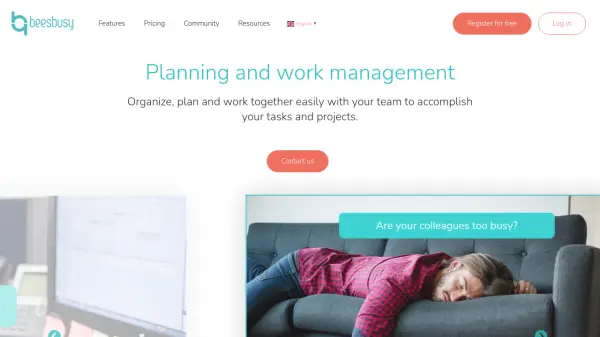
Beesbusy is a comprehensive project management and work planning solution designed to help teams organize, plan, and collaborate seamlessly. It offers three working modes: collaborative task management in Kanban mode, project planning with Gantt charts, and resource planning with workload visualization. The platform supports realistic planning by assessing workload, assigning resources based on occupancy rates, and considering constraints like absences and milestones. With features such as task assignment, team agendas, and multi-project views, Beesbusy provides visibility and facilitates decision-making for teams of all sizes.
The tool caters to various industries including consulting firms, IT companies, marketing agencies, and craftsmen. It offers different subscription plans (Free, Business, Enterprise) with scalable pricing based on the number of licenses. Additional features include time management, budget management, custom fields, smart-tags, and connectors with Google Calendar, Outlook, Excel, Trello, and Gitlab. Beesbusy also supports associations and education with special discounts and free access for teachers and students.
Features
- Kanban Task Management: Organize work with task lists and visibility on progress.
- Gantt Chart Planning: Visualize task sequences and project timelines.
- Resource Planning: Manage workload and occupancy rates for team members.
- Time Tracking: Record time per member and task with real-time occupancy rate calculation.
- Multi-Project Views: Get an overall view of all projects with filtering options.
- Custom Dashboards: Access personalized dashboards and statistics.
- Budget Management: Track initial, achieved, and remaining budgets for projects.
- Connectors: Integrate with Google Calendar, Outlook, Excel, Trello, and Gitlab.
- Custom Fields: Create custom fields to qualify projects, tasks, times, and members.
- White-Label: Customize workspace with own logo and colors.
Use Cases
- Managing projects in consulting firms and IT companies.
- Planning interventions and missions for service-based businesses.
- Coordinating marketing campaigns and agency workflows.
- Tracking recruitment and administrative tasks in HR departments.
- Organizing work for craftsmen and small teams.
- Educational project management for teachers and students.
FAQs
-
What is the purpose of a project management tool?
A project management tool allows you to organize tasks, plan them, and coordinate resources according to constraints and availability. It can be used for managing projects in consulting firms, IT companies, marketing agencies, and craftsmen, as well as for support functions like marketing, recruitment, and administrative tasks. -
What are the key factors of a project management application?
An efficient project management application must offer advanced planning features like Gantt charts and milestones, be easy to use for all team members, and provide effective communication and information sharing without overwhelming users with excessive notifications. -
What are the different types of project management applications?
There are two main types: 'work organization' tools that focus on collaboration and agile task management, and 'Gantt chart' oriented tools that offer precise task planning with workload and duration distinction. -
How do the subscription formulas work?
Subscriptions are based on monthly or annual commitment periods that start on the subscription date and renew automatically. You can cancel at any time, but no refund is provided upon cancellation. -
What payment options are available?
You can pay online with most common credit cards. For annual subscriptions, bank transfer is also accepted. Invoices are available directly in the application.