What is Backup4all?
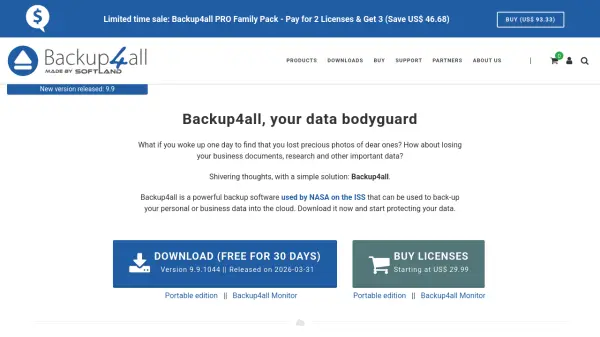
Backup4all is a feature-rich backup software designed to automatically protect your valuable data from total or partial loss. Its intuitive interface makes it easy for beginners to use, while also including advanced features for power users. Backup4all supports a wide range of backup sources and destinations, including local hard drives, external USB drives, network locations, FTP/SFTP servers, and over 37 cloud storage providers such as Google Drive, Microsoft OneDrive, Dropbox, Amazon S3, and Microsoft Azure. It offers true incremental backups to save time and storage space, and includes free backup plugins for backing up specific application settings. The software is compatible with Windows 11, 10, 8, 7, Vista, and various Windows Server editions. Additionally, Backup4all Monitor provides real-time and historical monitoring of backup actions on remote machines, with a server and dashboard component for centralized oversight.
Features
- Backup to/from Cloud: Supports over 37 cloud destinations including Google Drive, OneDrive, Dropbox, Amazon S3, Azure, BOX
- True Incremental Backups: Faster backup by only saving changes since the last backup
- Free Backup Plugins: 254+ plugins for backing up specific programs' settings and data
- Backup4all Monitor: Real-time and historical monitoring of backup actions on remote machines
- Multiple Sources/Destinations: Local, external, network, FTP/SFTP, and cloud
- Scheduler: Automate backups to run on a schedule
- FIPS Compliant: Meets government security standards
Use Cases
- Protecting personal photos, documents, and important files from accidental loss
- Backing up business data and critical documents to the cloud for disaster recovery
- Automating regular backups of workstations and servers in a corporate environment
- Centralized monitoring of backup status across multiple remote machines
- Migrating data from one cloud storage to another using cloud-to-cloud backup
- Archiving legacy data to external drives or optical media
FAQs
-
What operating systems does Backup4all support?
Backup4all is compatible with Windows 11, 10, 8, 7, Vista, and Windows Server 2025/2022/2019/2016/2012/2008 (x86/x64). -
Can Backup4all back up to cloud storage?
Yes, Backup4all supports backup to and from over 37 cloud destinations including Google Drive, Microsoft OneDrive, Dropbox, Amazon S3, Microsoft Azure, BOX, Hidrive, and many Amazon S3 compatible services. -
What is an incremental backup?
An incremental backup only saves files that have changed since the most recent backup, making it faster and more storage-efficient than a full backup. -
Is there a free trial available?
Yes, Backup4all offers a free 30-day trial. You can download it from the official website. -
Can I monitor backups on remote computers?
Yes, Backup4all Monitor provides real-time and historical monitoring of backup actions executed by Backup4all on remote machines.