What is Perfect Backup?
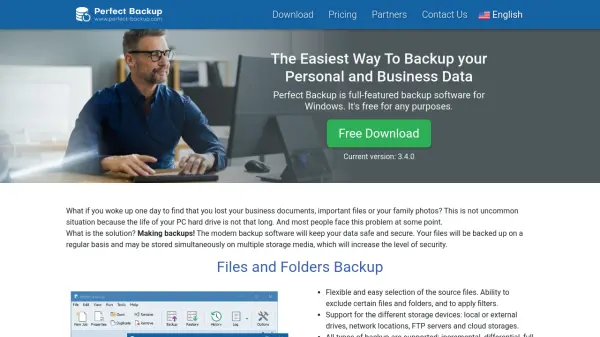
Perfect Backup is a robust and user-friendly backup solution for Windows users, designed to safeguard personal and business data through automated, scheduled, and customizable backups. The software supports a variety of backup types, such as incremental, differential, full, and mirror, ensuring both flexibility and enhanced data security. Users can easily choose specific files and folders, apply filters or exclusions, and utilize storage options ranging from local drives to cloud platforms like Google Drive, Microsoft OneDrive, and Dropbox.
Perfect Backup also enables system drive imaging using VHD technology, allowing for complete operating system and application backup without interrupting workflow. With built-in support for compressing and encrypting files, the tool facilitates space saving and data privacy. An intuitive interface simplifies backup job creation, while restore operations are highly accurate, ensuring that files can be recovered quickly after data loss or device failure.
Features
- Comprehensive Backup Support: Files, folders, drive images, and application data backup for Windows.
- Multiple Backup Types: Incremental, differential, full, and mirror backup modes.
- Automated Scheduling: Flexible backup automation by day, week, or month.
- Wide Storage Compatibility: Local drives, network folders, external devices, FTP servers, and popular cloud storage services.
- Compression & Encryption: Efficient data storage with ZIP compression and secure encryption.
- Accurate Restoration: Restore files from any backup with options for direct import after a system crash.
- VHD Technology: Drive imaging uses virtual hard disk format for complete system backup.
- Friendly User Interface: Intuitive backup job creation and management.
- Application Backup Database: Supports backup for 8963 popular applications and games.
- No Service Interruption: Backups happen without interrupting ongoing work.
Use Cases
- Safeguarding important business documents and files against accidental loss.
- Automating regular backups of personal photos, videos, and digital assets.
- Backing up entire system drives, including OS, for disaster recovery.
- Protecting game saves and user data for PC games and gaming platforms.
- Ensuring secure backups for email client configurations and messages.
- Utilizing multiple backup types for maximizing data safety and recovery flexibility.
- Implementing backups across various storage platforms, including cloud services.
- Quickly restoring data after hardware failures or system crashes.
FAQs
-
What types of storage does Perfect Backup support?
Perfect Backup supports local and external drives, network locations, FTP servers, and cloud storages such as Google Drive, Microsoft OneDrive, and Dropbox. -
Can Perfect Backup create complete system drive images?
Yes, Perfect Backup uses VHD technology to back up entire system drives, including all settings, files, folders, and applications. -
How does Perfect Backup handle data restoration?
Perfect Backup allows users to restore files anytime and supports two restoration methods, including direct import of the backup file if the configuration is lost. -
Is it possible to schedule automated backups?
Yes, users can schedule automatic backups by selecting specific days of the week or month. -
Does Perfect Backup offer data compression and encryption?
Yes, the software can compress backups into ZIP files and provides encryption options for added security.