
What is AutoSortPro?
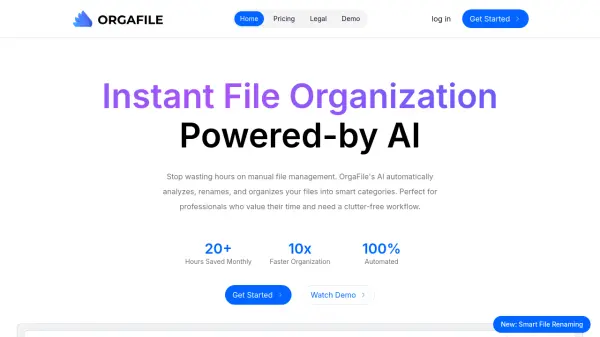
AutoSortPro leverages advanced artificial intelligence to streamline file management by automatically analyzing, organizing, and tagging various file types. The tool processes images such as JPEG, PNG, and WebP, along with documents including PDF, DOCX, and XLSX, providing smart tagging, title generation, and content summarization to enhance findability.
Users can customize AI-generated outputs by editing titles, modifying tags, and adjusting summaries before exporting files in original formats or Markdown for integration with note-taking applications like Obsidian. The platform offers enterprise-ready features including team collaboration, secure encryption, and usage analytics, making it suitable for both individual professionals and organizational teams seeking efficient digital asset management.
Features
- Smart Tagging: Automatically generates descriptive tags for files based on content analysis
- Title Generation: Creates meaningful titles for documents and images using AI
- Content Summarization: Provides concise summaries of document contents
- Customizable Outputs: Allows editing of AI-generated titles, tags, and summaries
- Multi-Format Support: Processes images (JPEG, PNG, HEIC, WebP) and documents (PDF, DOCX, XLSX, TXT)
- Team Collaboration: Enables shared workspaces for collaborative file management
- Enterprise Security: Implements encryption for secure file handling
- Usage Analytics: Tracks processing history and user activity
Use Cases
- Organizing personal document collections
- Managing team project files efficiently
- Categorizing large volumes of screenshots
- Preparing files for note-taking applications like Obsidian
- Streamlining digital asset management for businesses
- Improving searchability of archived documents
- Automating file tagging for content libraries
- Enhancing workflow productivity through automated organization
FAQs
-
What file formats does AutoSortPro support?
AutoSortPro supports image formats including JPEG, JPG, PNG, HEIC, and WebP, along with document formats such as TXT, CSV, RTF, DOCX, XLS, XLSX, and PDF. -
How does the credit system work?
Credits are used to process files, with plans offering monthly allocations that reset or roll over depending on the subscription tier. Additional credits can be purchased separately and remain valid for six months. -
Can I edit the AI-generated outputs?
Yes, users can customize AI analysis by editing generated titles, modifying tags, and adjusting summaries to better suit their needs before finalizing file organization. -
Is AutoSortPro suitable for team use?
Yes, AutoSortPro offers team collaboration features including shared workspaces, making it ideal for organizations needing coordinated file management and access. -
What security measures are in place?
AutoSortPro implements enterprise security with encryption to ensure secure file handling and protection of user data during processing and storage.