

What is AuthPass?
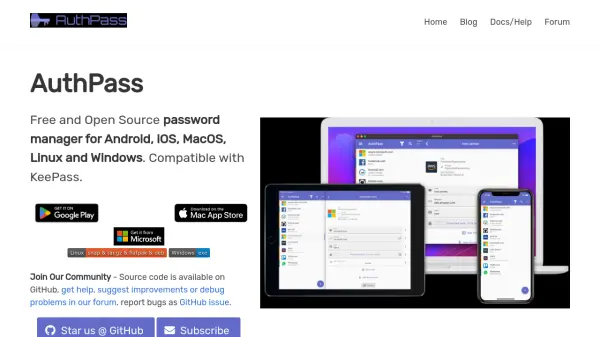
AuthPass is a free and open source password manager that works across Android, iOS, macOS, Linux, and Windows. It is fully compatible with KeePass, allowing you to load and decrypt .kdbx files using a password and/or key file. The app provides a secure way to store and organize your passwords in groups, with powerful search functionality to quickly find credentials.
Security is enhanced through native integrations such as fingerprint unlock and password auto-fill on Android. Cloud sync with Google Drive, Dropbox, or WebDAV (NextCloud, OwnCloud) ensures your passwords are synchronized across all devices. AuthPass also includes keyboard shortcuts on desktop for efficient navigation and copy-paste support on both desktop and mobile.
Features
- KeePass Compatible: Load and decrypt .kdbx files using a password and/or key file.
- Multi-Platform Support: Available on Android, iOS, macOS, Linux, and Windows.
- Search and Organize: Quickly search through stored credentials and organize them in groups.
- Cloud Sync: Synchronize passwords across devices using Google Drive, Dropbox, or WebDAV.
- Biometric Unlock: Store master password secured with fingerprint or face unlock.
- Password Auto-Fill: Native Android auto-fill API integration for seamless form fills.
- Keyboard Shortcuts: Desktop support for shortcuts like search and copy.
- Copy and Paste: Copy and paste support on both desktop and mobile.
Use Cases
- Securely store and manage personal passwords across multiple devices.
- Sync password vaults between mobile and desktop using cloud storage.
- Use KeePass files for password management with a cross-platform app.
- Enable biometric authentication for quick and secure access to passwords.
- Auto-fill login credentials on Android apps and websites.
FAQs
-
Where can I download the app?
You can download AuthPass from your favorite App Store, or fork the source code on GitHub. -
Is AuthPass available on Windows and Linux?
Yes, AuthPass has been launched on Windows and Linux as well. -
How can I contribute to AuthPass or show my gratitude?
You can contribute by providing feedback, reporting bugs, or leaving reviews. Check out the article on how to contribute on the AuthPass website.