What is AttendList?
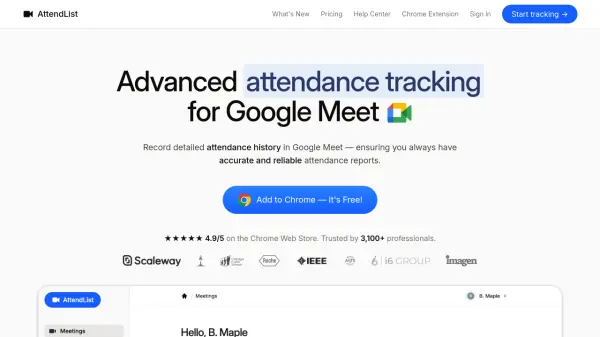
AttendList is a specialized attendance tracking solution designed for Google Meet users. This Chrome extension automatically records who joins meetings, when they join and leave, and saves chat history for comprehensive post-meeting review. It provides detailed attendee timelines and supports unlimited participants, making it suitable for various professional applications.
The tool offers spreadsheet export capabilities, allowing users to download attendance data in CSV or PDF formats. With features like automatic tracking, retroactive attendance recording, and powerful integrations with Google Sheets, AttendList streamlines attendance management for educational, corporate, and organizational use cases.
Features
- Attendance Tracking & Timelines: Record who joined a meeting and when with detailed timelines and support for unlimited participants
- Chat History: Save all chat messages automatically for easy review
- Automatic Recording: Track attendance automatically when you join any meeting
- Spreadsheet Export: Export all attendance data to CSV spreadsheets for import into Excel or Google Sheets
- Participant Overview: See which meetings someone has attended and their attendance statistics
- Powerful Integrations: Sync attendance reports with Google Sheets automatically or receive them via email
Use Cases
- Track attendance in online classes and lectures
- Record student attendance for tutoring sessions
- Monitor workplace training participation for safety and auditing
- Accurately bill clients for cumulative meeting time
- Manage educational team attendance across schools or tutoring groups
- Record patient attendance for health and wellness online classes
- Track participant attendance for online courses and training sessions
FAQs
-
How can I start tracking Google Meet attendance with AttendList?
First, login to AttendList by clicking the login link. Once logged in, click 'Connect Google Meet' to link AttendList with Google Meet. Finally, install the Chrome extension available on the Chrome Web Store. -
How do I find my Google Meet attendance report after the meeting?
Enable the 'Meeting Review' setting in the Chrome extension to automatically open your attendance report after the meeting. You can also visit the AttendList app directly to access reports. -
What information does the attendance report include?
The attendance report includes who joined your meeting, when they joined, when they left, and if they left and rejoined throughout your meeting. -
Is my meeting data secure?
Yes, AttendList handles all information securely, integrating directly with Google Meet to ensure your attendance data stays safe. -
Does AttendList work on mobile?
AttendList is designed for laptops or desktop computers. The Chrome extension doesn't support mobile devices.