What is Tactiq?
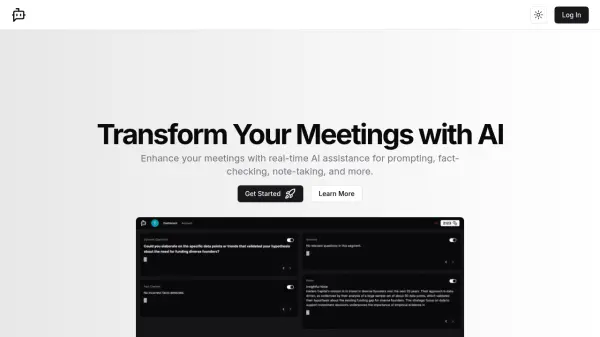
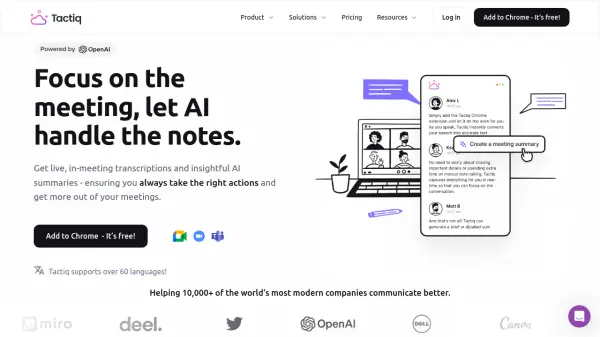
Tactiq is a tool designed to enhance meeting productivity by providing live transcriptions and AI-generated summaries. It integrates seamlessly with popular platforms like Zoom, Google Meet, and Microsoft Teams. The Chrome extension ensures accurate, speaker-specific transcriptions without the need for intrusive bots.
By leveraging OpenAI's enterprise API, Tactiq efficiently processes meeting data to deliver concise summaries, action items, and follow-up emails. Users can also customize AI prompts for tailored meeting insights and automate workflow integrations with tools like Linear, HubSpot, and Slack.
Features
- Live Transcriptions: Get real-time, speaker-specific transcriptions without AI bots.
- AI Meeting Summaries: Generate concise summaries and action items with a single click.
- Custom AI Prompts: Tailor AI outputs to specific needs and formats.
- Workflow Integrations: Seamlessly integrate with tools like Linear, HubSpot, and Slack.
- Multi-Platform Support: Works with Zoom, Google Meet, and Microsoft Teams.
Use Cases
- Customer meetings
- Team meetings
- Project management updates
- Generating follow-up emails
- Creating Jira tickets from meeting insights
FAQs
-
Does Tactiq use ChatGPT?
No. We are using OpenAI's enterprise API offering, which is different from ChatGPT. Read more in our Privacy Center. -
Will OpenAI use my data?
No, OpenAI does not use data submitted via API to train OpenAI models or improve OpenAI’s service offering. Read Open AI API Policy. -
Do you record the audio?
Tactiq do not record or store the audio. The transcript is happening in real-time and saved as a text. -
Will everyone in the meeting see the transcription?
No, the transcription is only displayed for you, but you can notify everyone that you're transcribing during the meeting. Learn more -
Can I install it for my whole team?
To install for all of your users, contact your GSuite admin. Information on how to do this can be found here.