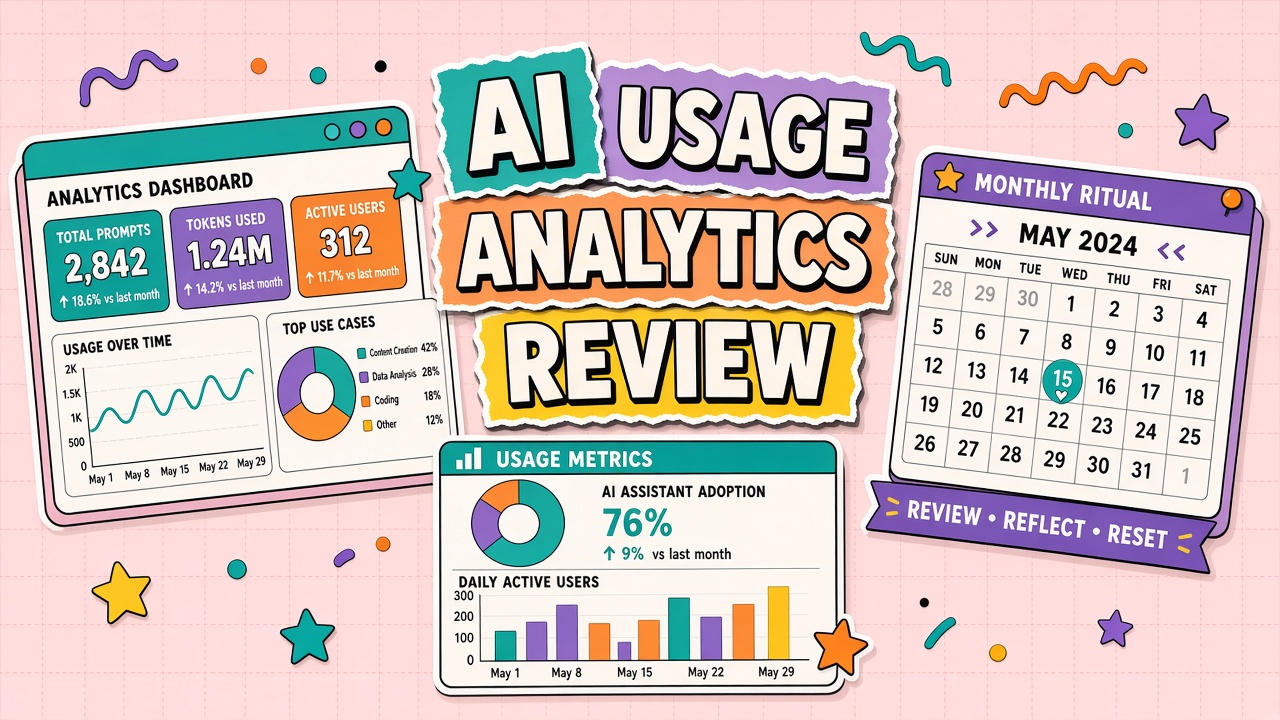
AI subscriptions renew on autopilot while half the seats sit idle and one team blows through API credits in a weekend script nobody reviewed. Dashboards exist; discipline does not. A recurring AI usage analytics review gives finance, IT, and department heads a shared thirty to sixty minute ritual to catch waste, abuse, and training gaps before they become line-item surprises.
This guide defines metrics worth tracking, anomaly patterns that warrant action, and how to share insights without shame campaigns. Teams running AI API pipelines alongside AI automation should review both UI and programmatic consumption in the same meeting.
Metrics: Active Users, Generations, and Cost per Team
Start with a small glossary everyone agrees on; otherwise debates mix seats, logins, and billable tokens. Standard definitions for monthly review:
- Active user: At least one billable generation or API call in the review period
- Generation: One model completion, image render, or equivalent billable unit per vendor docs
- Allocated cost: Invoice slice attributed by team tag, cost center, or API key
- Utilization rate: Active users divided by provisioned seats
- Cost per outcome: Spend divided by shipped artifacts when workflow tags exist
| Metric | Healthy signal | Investigate when |
|---|---|---|
| Seat utilization | Above 70% active in core teams | Below 40% for two months |
| Week-over-week generations | Smooth or explained campaign spikes | 3x spike with no ticket reference |
| API cost per key | Matches known batch jobs | New key or dormant key wakes up |
| Failed request rate | Stable low baseline | Climbs with spend (retry loops) |
Export dashboards to a shared folder before the meeting so leaders review async. Live demo only for anomalies, not a tour of every chart.
Anomaly Detection: Spikes and Off-Hours Usage
Not every spike is abuse; not every off-hours session is innocent. Pattern library for reviewers:
- Launch spike: Correlates with marketing calendar or product release ticket
- Runaway script: API usage flatlines high with repetitive prompts and high error rate
- Shadow integration: New IP or service account absent from integration registry
- Personal experimentation: Single user 10x baseline on consumer features during crunch
- Credential leak: Usage from unexpected geography on a static API key
Off-hours activity on API keys tied to production automation may be normal for global batch windows. Off-hours activity on executive assistant accounts pasting large attachments warrants a gentle policy reminder, not public shaming.
Actions: Training, Limits, and Seat Reclaim
Every anomaly ends with an assigned action and due date. Common responses:
- Training: Office hours for teams underutilizing approved workflows
- Limits: Per-key rate caps, seat downgrade, or require manager approval for new integrations
- Seat reclaim: Remove inactive accounts after fourteen-day notice
- Workflow fix: Engineering ticket when retries double spend
- Policy: Security review when data classification may have been violated
Track actions in the same tracker as other IT governance. Close the loop next month: show which actions reduced waste or improved adoption, not only new problems.
Sharing Insights With Department Heads
Department heads need numbers they can act on, not raw vendor exports. One-page summary template:
- Spend vs budget YTD with forecast to renewal
- Top three teams by cost and by growth rate
- Utilization highlight: reclaim candidates and champions worth interviewing
- Incidents or policy exceptions opened since last review
- Decisions needed: approve training budget, approve limit change, approve new tool pilot
Frame automation savings where measurable, but avoid fabricated ROI. Honest reporting builds trust for the next renewal negotiation.
Building the Monthly Review Agenda
A fixed agenda keeps the ritual under sixty minutes. Suggested order: five-minute spend versus budget snapshot; ten-minute utilization and reclaim list; fifteen-minute anomaly review with owners; fifteen-minute action item roundup from prior month; ten-minute decisions needed from leadership; five-minute schedule next review. Circulate the agenda twenty-four hours ahead with dashboard links so live meeting time goes to decisions, not screen sharing practice.
Rotate a department head as guest quarterly so insights reach budget holders without separate translation meetings. Guest presents one win and one friction from their team using the shared summary template.
Tooling Gaps and Data Quality
Bad data produces confident wrong decisions. Before trusting a new metric, run a one-month reconciliation against invoice and identity provider logs. Tag API keys to teams at creation; untagged keys become mystery spend. Document known blind spots in the review glossary ("UI usage complete; contractor API usage incomplete until Q2 project"). Honest gaps beat silent assumptions.
Connecting Review to Renewal Decisions
Monthly reviews should feed renewal conversations with evidence. Six months before contract end, compile trend lines from review notes: utilization, cost per outcome, incident correlation, training actions completed. Present vendors with specific asks tied to data ("we need higher burst cap in Q4 based on two-year spike pattern"). Finance approves renewals faster when analytics ritual produced the packet, not when IT improvises from memory.
Role-Based Views for Reviewers
Finance, IT, and department heads need different slices of the same truth. Finance view: spend trend, forecast, reclaim dollars. IT view: keys, integrations, error rates, security flags. Department view: active users, workflow adoption, training gaps. Build three saved dashboard views or spreadsheet tabs exported from one source to avoid contradictory numbers in the same meeting.
Assign a rotating note-taker who records decisions with owner and due date. Decisions without owners are wishes. Review ritual fails when it becomes a read-only tour; success is measured in closed action items month over month.
Handling Under-Adoption Without Shame
Low utilization often means workflow friction, not lazy teams. Before reclaiming seats, interview three inactive users: missing integration, unclear prompt library, fear of policy violation, or duplicate tool elsewhere. Targeted fix (office hours, connector ticket, charter clarification) beats blanket mandates to "use AI more." Reclaim seats only after good-faith enablement attempt documented in review notes.
Launching the Monthly Ritual
Month zero: define metric glossary, build three role-based views, pick standing meeting slot, assign note-taker rotation, and backfill two months data if possible for trend context. Month one: walkthrough without punitive tone; focus on learning and one action item per attendee. Month two: compare actions closed versus opened; tune anomaly thresholds if alert fatigue appeared. Month three: invite first guest department head; link insights to renewal prep timeline if contract within six months.
Sustain the ritual by cancelling only when metrics flat two months and no open actions remain. Reinstitute when new tool pilots or major pricing change lands. Ritual dies when slides become vanity charts; keep decisions and owners visible every session.
Sample Action Log Format
Columns: action ID, finding, owner, due date, status, outcome next month. Example finding: API key untagged causing four hundred dollar mystery spend. Action: tag key to data team, reclaim orphaned key by date. Next month review opens with closed actions only; open actions escalate to leadership with reason. Visible closure builds trust that analytics meetings change behavior.
Executive Summary Example Structure
Paragraph one: spend versus plan and forecast to renewal. Paragraph two: adoption highlight and underutilization plan. Paragraph three: top risk or anomaly this month and mitigation status. Bullet list: decisions needed with dollar impact. One page maximum. Executives engage when asked to decide, not when asked to interpret thirty chart screenshots they will never reopen.
Attach raw dashboards as appendix for analysts; the meeting discusses the summary only unless deep dive requested on one anomaly.
Privacy and Aggregation Rules for Reviews
Default to team-level reporting in cross-functional meetings. Name individuals only in security investigations with HR present. Aggregate API usage by key and team tag, not by employee name, unless enterprise agreement permits individual monitoring and legal posted notice. Document privacy rules in review charter so new finance or IT attendees do not accidentally request inappropriate drill-downs.
When anomaly requires individual follow-up, manager handles conversation privately using IT-provided facts, not dashboard screenshots in group channel. Privacy discipline keeps the ritual trusted; shame campaigns destroy adoption data honesty.
Year-One Maturity Model for the Ritual
Quarter one focus: consistent attendance and glossary alignment. Quarter two: action closure rate above seventy percent. Quarter three: tie review outputs to training calendar and seat reclaim. Quarter four: produce renewal packet from review notes without emergency fire drill. Teams skipping quarter one glossary spend quarter three arguing metric definitions instead of fixing waste.
Maturity is not fancier dashboards; it is faster decisions with fewer recurring surprises.
Bridging UI and API Metrics in One Narrative
Teams often pay twice without noticing: seats for UI tools plus API keys for the same vendor. Review narrative should explicitly compare seat utilization against API spend for linked workflows. When API grows while UI flat, engineering built shadow automation worth celebrating or policing depending on governance. When UI grows while API flat, humans may duplicate work machines could batch.
Single narrative prevents finance from seeing healthy seat stats while engineering burns budget on untagged keys nobody discusses in the same room.
Frequently Asked Questions
Should API and UI usage be reviewed separately?
Same meeting, different rows. API anomalies often indicate engineering issues; UI anomalies often indicate training gaps. Merging them hides runaway scripts behind average seat counts.
Can we name individual users in the review?
Limit named callouts to security incidents and manager-coached coaching. Default to team-level aggregates in cross-department summaries unless HR and legal approve otherwise.
How long should the ritual take?
Thirty minutes for stable programs; sixty when rolling out new tools or after a major price change. Cancel the meeting only when metrics and actions are unchanged two months running.
Vendor dashboard disagrees with finance invoice
Open a reconciliation ticket before blaming teams. Timezone boundaries, tax lines, and credit burns cause routine mismatches that erode trust if unexplained.
The Bottom Line
Run a monthly AI usage analytics review with shared metric definitions, anomaly playbooks, concrete actions, and a one-page brief for department heads. Dashboards are useless without a calendar invite that people actually attend.