What is Actual ODBC Pack?
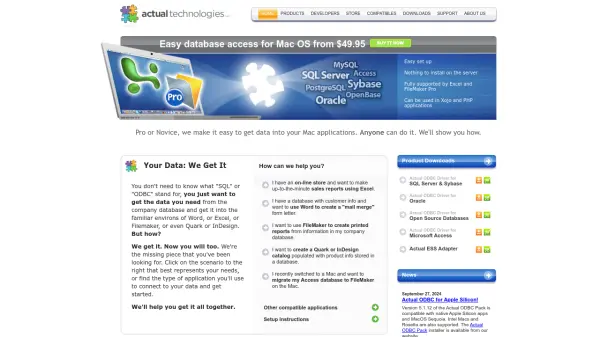
Actual ODBC Pack offers Mac users reliable and straightforward database access, compatible with popular applications like Excel and FileMaker Pro. With no need to install anything on the server, users can quickly connect to a variety of databases to streamline their data management tasks. The software supports connections for both novice and professional users, making it possible to generate reports, mail merges, and catalogs directly within familiar Mac OS applications.
Compatible with platforms such as Xojo and PHP, Actual ODBC Pack is designed to facilitate integration between company databases and widely used productivity tools like Word, Quark, and InDesign. Its latest version supports Apple Silicon and MacOS Sequoia, maintaining compatibility with Intel Macs and Rosetta, ensuring robust performance across different Mac environments.
Features
- Simple Setup: No server installation required for database connectivity.
- Wide Application Support: Works with Excel, FileMaker Pro, Xojo, PHP, Word, Quark, and InDesign.
- Apple Silicon Compatibility: Fully compatible with native Apple Silicon apps and MacOS Sequoia.
- Multiple Database Support: ODBC Drivers available for SQL Server, Sybase, Oracle, Open Source databases, and Microsoft Access.
- User-Friendly Integration: Accessible for both novices and professionals.
Use Cases
- Generating up-to-date sales reports in Excel on Mac.
- Creating mail merge letters in Word using customer database information.
- Designing printed business reports from corporate databases in FileMaker.
- Building product catalogs in Quark or InDesign populated from a company database.
- Migrating Microsoft Access databases to FileMaker on Mac after switching platforms.