What is AccountEdge?
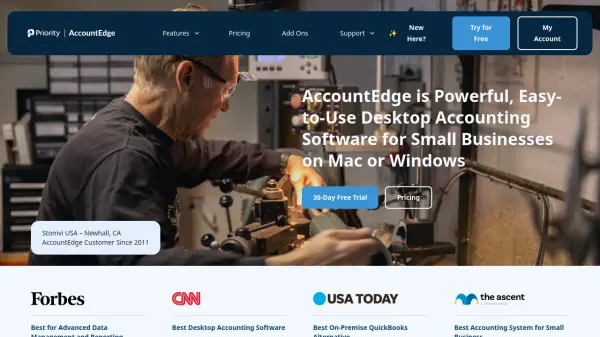
AccountEdge is a desktop accounting software designed for small businesses on Mac or Windows. It provides a comprehensive suite of tools for managing sales, invoicing, expenses, banking, payroll, inventory, and time billing. The software is known for its powerful data management and reporting capabilities, offering hundreds of standard reports and integration with Power BI for advanced analytics. With a desktop-first approach, AccountEdge ensures reliability and security, while optional add-ons like AccountEdge Connect and AccountEdge Hosted provide remote access and cloud collaboration. Founded in 1989, AccountEdge has helped hundreds of thousands of small businesses streamline their accounting processes.
Features
- Invoicing: Create and send invoices for products, services, or time, with payment status tracking.
- Expenses: Manage purchases, vendor payments, and recurring transactions.
- Banking: Track money movements with integrated bank feeds and auto-match reconciliation.
- Payroll: Process payroll with direct deposit, track wages, accruals, deductions, and expenses.
- Inventory: Manage item details, track inventoried and non-inventoried items, build kits, and create locations.
- Accounting: Maintain chart of accounts, general ledger, budgets, and run financial reports.
- Contact Management: Organize leads, customers, vendors, and employee details.
- Time Billing: Track time and work-in-progress with custom billing rates and timesheets.
- Data Management: Import/export data, on-screen analysis, and hundreds of standard reports.
Use Cases
- Small business accounting and financial management
- Invoicing and payment tracking for service-based businesses
- Payroll processing for small teams
- Inventory management for product-based businesses
- Time tracking and billing for project-based work
FAQs
-
How many company files can I have with my AccountEdge subscription?
Ten company files are included in an AccountEdge subscription. Additional files are available for purchase at $10/file/month. -
What happens if I cancel?
You can cancel your plan at any time. You will continue to have read-only access to your AccountEdge software to view information and run reports, but you cannot add new transactions. You can re-subscribe at any time to regain full access. -
Is AccountEdge desktop or cloud software?
AccountEdge Pro and Network Edition are desktop software sold as a subscription. AccountEdge Hosted allows full remote access via web browser. You can also use AccountEdge Connect for cloud collaboration. -
Will my subscription include future product updates?
Yes, all future product updates are included with your subscription. -
What if I don’t have a constant internet connection?
You must connect to our servers at least once a month to confirm your subscription. If not, your file enters a 7-day grace period, then goes into Read-Only mode until you connect.