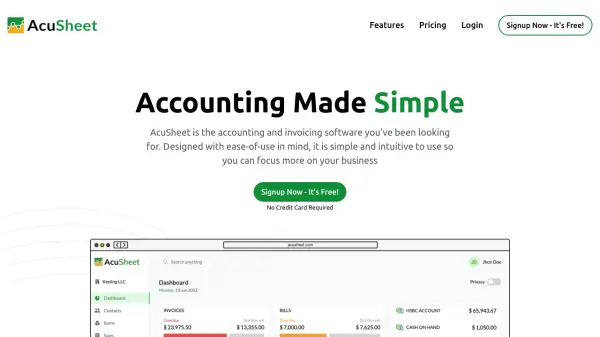
What is AcuSheet?
AcuSheet is an accounting and invoicing software designed with ease-of-use in mind, allowing users to focus more on their business operations. It enables the creation of customized invoices in minutes, complete with logos, taxes, discounts, and multiple currencies. The platform automates accounting processes by preparing easy-to-understand financial reports and building accounts in the background while minimizing errors.
The software generates real-time financial, accounting, and MIS reports that provide valuable insights at a glance. It offers features such as unlimited invoice creation, expense tracking, inventory management, and support for multiple users and businesses. AcuSheet includes security measures like SSL encryption and AWS server storage to protect user data.
Features
- Invoicing: Create customizable invoices with logos, taxes, discounts, and multiple currencies in minutes
- Accounting Automation: Automatically prepares financial reports and builds accounts while minimizing errors
- Reports: Generates real-time financial, accounting, and MIS reports with valuable business insights
- Multi-User Support: Supports multiple users with role-based permissions across different pricing plans
- Data Security: Uses SSL encryption and AWS servers to securely store customer data and transaction information
Use Cases
- Managing business finances and accounting for startups
- Tracking daily financial transactions for small to medium businesses
- Simplifying client accounting processes for professional accountants
- Generating customized invoices with multiple currency support
- Creating real-time financial reports for business decision-making
FAQs
-
How does the 14-day free trial work?
You can access the Premium plan for 14 days without contracts or credit card requirements by signing up on AcuSheet. -
What happens after the free trial ends?
After the trial, you are automatically subscribed to the free Lite plan, and data from paid features is securely stored for potential future upgrades. -
Can I use AcuSheet for multiple businesses?
Yes, you can have multiple businesses as separate companies in your account, each with its own subscription plan, but only one company can be on the free Lite plan. -
How can I add more users to my AcuSheet account?
Additional users can be added for $3 per user per month within the software, depending on your selected plan. -
How secure is my data with AcuSheet?
AcuSheet uses SSL encryption for transactions and stores all customer data on secure AWS servers to ensure data protection.