Sync-first AI workflows assume someone is online to clarify a vague draft, approve a risky send, or explain what happened in the last meeting. Distributed teams across time zones pay the tax twice: waiting for overlap hours, then re-explaining context the absent teammate never received.
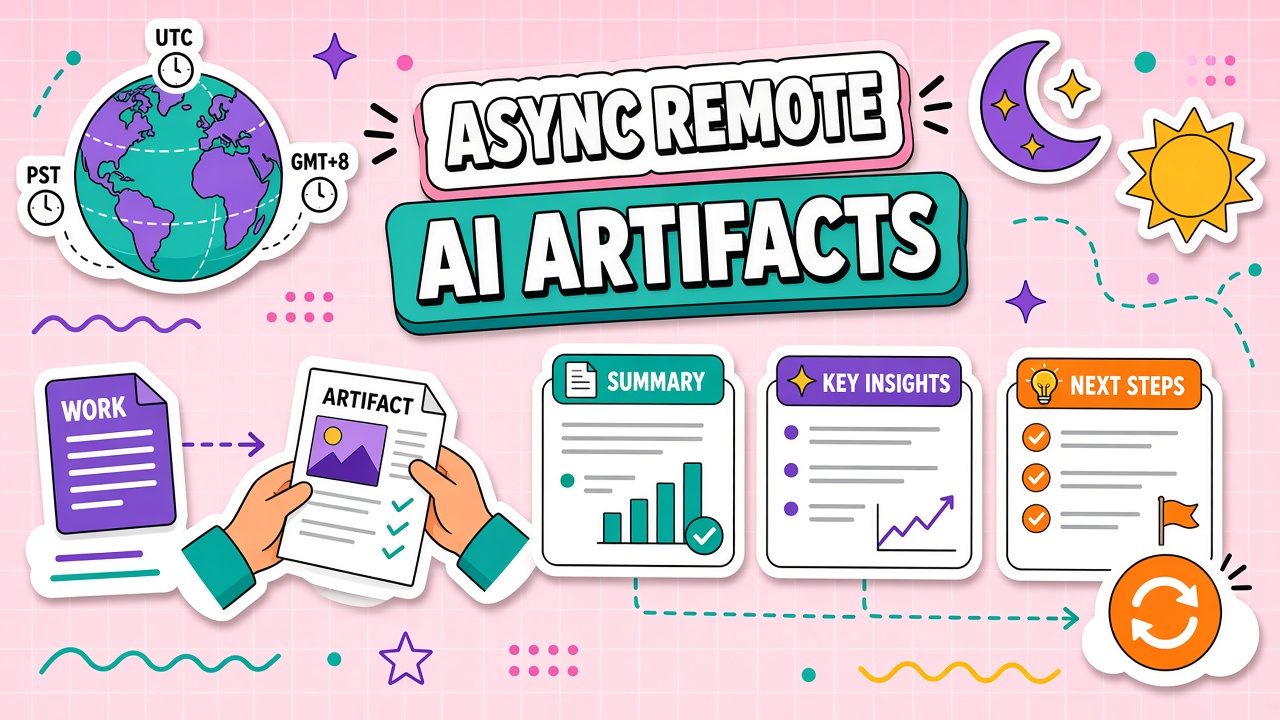
AI tools for async remote teams work best when they produce searchable artifacts: summaries, decision logs, structured handoffs, and prep docs that survive the handoff between shifts. This guide covers async-first patterns by use case, timezone-safe review loops, and ways to cut meeting load without losing accountability. Pair these patterns with AI productivity tools and AI writing tools that export to your wiki or project system, not only to a chat window.
Why Sync-First AI Workflows Fail Remotely
Sync-first patterns tie AI value to live collaboration: pair prompting in a call, iterate in real time, ship before the session ends. That model breaks when your reviewer sleeps during your working afternoon. Work stalls in "waiting for feedback" columns. Context lives in ephemeral chat instead of durable docs.
Async-first patterns treat AI as a documentation and preparation layer. The model drafts, structures, and indexes information humans approve on their own schedule. Meetings become exceptions for ambiguity, conflict, or high-stakes judgment, not the default coordination mechanism.
Artifact Types: Summaries, Decisions, Drafts
Match artifact type to the decision your teammate needs to make without a call.
| Artifact | Use case | Minimum fields |
|---|---|---|
| Handoff briefing | Shift change on active projects | Status, blockers, next action, links |
| Decision log entry | Choices that affect downstream work | Decision, rationale, alternatives rejected, owner |
| Review-ready draft | Content awaiting async approval | Draft, acceptance checklist, due date |
| Meeting capture | Absent stakeholders catching up | Summary, action items, open questions |
Timezone-Safe Review and Approval Loops
Async approval loops need explicit states, owners, and deadlines. A draft is not "in review" until it lives in a shared system with a named reviewer and a due timestamp. AI can generate the draft and the checklist; humans approve in comments or structured approval fields.
Use a twenty-four hour response SLA for routine reviews and escalate to overlap hours only when the SLA passes or risk tier requires live discussion. Batch similar approvals so reviewers in Tokyo can clear five briefs in one session instead of five interrupt-driven pings.
Recording Context for Absent Teammates
Every cross-timezone handoff should answer: what changed, what was decided, what is blocked, and what the next owner should do first. AI accelerates capture from meeting transcripts, ticket threads, and repo activity, but a human must verify names, dates, and commitments before the handoff posts.
Encourage three-sentence updates after important calls even when a full transcript exists. Short human context prevents the next shift from wading through forty minutes of audio to find one decision.
Reducing Meeting Load With AI Prep
Replace status meetings with async weekly briefs. Each lead asks AI to summarize progress against goals, blockers, and decisions needed, then posts a five-minute read to the team channel. Reserve live time for disagreements that comments cannot resolve in two rounds.
Require a written brief at least two hours before any scheduled sync: purpose, decision needed, and background links. AI drafts the brief from project data; the meeting owner edits and sends. Attendees arrive prepared; overlap hours focus on outcomes.
Async Handoff Template
Copy this structure into your wiki for every cross-timezone handoff. AI can pre-fill fields from tickets or transcripts; owners verify before posting.
- Project / run ID: Link to epic, release, or client record
- Completed since last handoff: Bullet list with evidence links
- Current state: What is in progress and percent complete if applicable
- Decisions made: What was chosen and what was rejected
- Blockers: What needs action and from whom
- Next action: One concrete step for the incoming shift
- Do not revert: Work or configs that must be preserved
Tool selection criteria for async teams
Favor tools that export to Markdown or your wiki, support shared project context, and generate summaries with citations to source material. Deprioritize tools that trap output in ephemeral chat without permalink. Test handoff quality with a deliberate "absent reviewer" drill: can someone in another zone approve work from artifacts alone?
Weekly async review pattern
Each region posts a five-minute AI-assisted weekly brief: top decisions, blockers, wins. No live meeting unless a comment thread fails to resolve in forty-eight hours. Consolidate briefs into a single leadership digest for executives who need altitude without another all-hands.
Reducing Sync Meeting Dependency
Audit recurring meetings that exist only to broadcast status. For each, ask whether an AI-generated brief plus comment thread could replace live attendance. Keep the meeting only when decisions routinely fail in async comments within two rounds. Track hours reclaimed and reinvest a portion into overlap for genuine conflict resolution.
Train teams to write decision requests with options and recommendations, not open-ended "thoughts?" prompts. AI can structure options from background docs; a human owner still chooses. Async breaks down when questions are too vague for another zone to answer without a call.
Documentation-first culture
Async AI pays off only when documentation is the default path for decisions, specs, and handoffs. Reward permalink contributions in performance conversations. Punish only repeated refusal to document after coaching, not honest mistakes. Tools cannot fix a culture that treats writing as optional overhead.
Frequently Asked Questions
How much overlap do async AI workflows still need?
Most teams need two to four hours of weekly overlap for exceptions, relationship building, and complex disputes. Routine execution should not depend on overlap. If every AI-assisted task waits for overlap, the workflow is still sync-first with extra steps.
When is real-time collaboration still worth it?
Use live sessions for incident response, sensitive personnel matters, creative brainstorming with high ambiguity, and final negotiation. Document outcomes immediately into the same artifact system async teammates rely on.
Which AI tool features matter most for async teams?
Prioritize export to your wiki or docs, shared project memory, comment-friendly outputs, and integration with ticketing or version control. Chat-only tools without durable exports recreate the context loss problem.
How do we keep AI handoff briefings accurate?
Require links to source tickets, commits, or transcripts. Spot-check weekly samples. Retire templates that routinely omit blockers or misstate status. Accuracy beats brevity in handoffs.
Async AI Stack Minimum
Most async teams need four layers: capture (recordings, transcripts, ticket exports), synthesis (summaries and decision logs), storage (wiki or docs with permalinks), and notification (channel posts with links back to artifacts). Missing storage collapses the stack into chat scrollback nobody searches.
Evaluate tools on how cleanly they move content from capture to storage without copy-paste. Friction at that boundary is why teams revert to sync calls despite paying for AI assistants.