A job portal reloads with a hero carousel, autoplay video, pulsing notification dots, and a hamburger menu that moved since yesterday's visit. For many autistic users, that combination triggers sensory overload, breaks mental models, and ends the task before the submit button appears. Autism friendly UI AI design pairs evidence-based patterns (predictable navigation, reduced motion, clear structure) with machine learning tools that audit layouts, suggest plain-language copy, and flag sensory risks before launch. WCAG compliance is necessary but insufficient; autism-specific guidelines from the National Autistic Society and participatory research add requirements generic checklists miss.
Design systems teams and AI chatbot interface owners should treat neurodiversity as a first-class constraint, not a post-launch overlay. More accessibility explainers live on the EliteAI.tools blog index.
What Autism Friendly UI AI Design Means in Plain Language
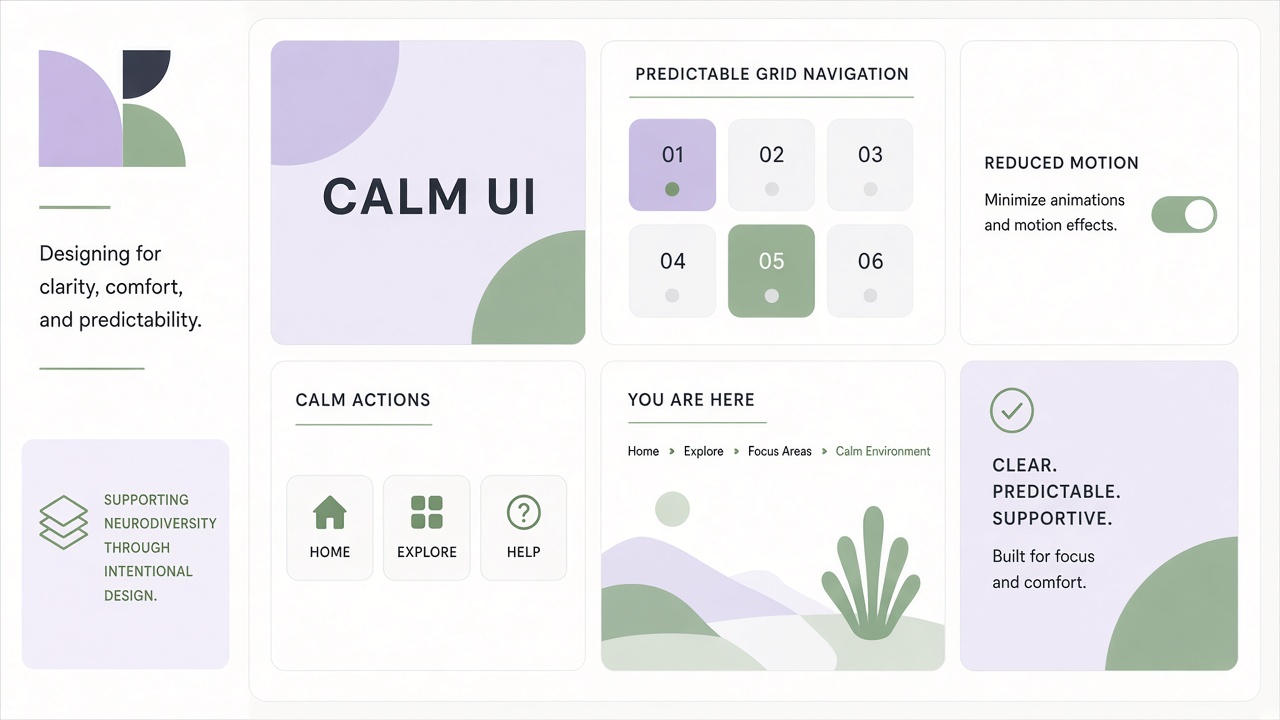
Autism friendly UI AI design means digital interfaces that reduce unpredictable change, sensory overload, and ambiguous language, optionally using AI to detect violations, generate calmer alternatives, and test flows with autistic participants. Autism affects sensory processing, predictability needs, and social communication style in diverse ways; no single theme fits everyone. Effective design offers customization: motion off, high contrast, simplified menus, explicit labels, and stable component placement across pages.
Calm technology principles align here: technology should inform without demanding constant attention. Autoplay, infinite scroll, gamified nagging, and surprise modals violate calm design. AI can help by scanning pages for motion CSS, counting simultaneous animations, or rewriting jargon-heavy microcopy, but human co-design with autistic reviewers remains authoritative because algorithmic "simplicity" sometimes removes needed detail.
| Design pillar | Autistic user need | Example pattern |
|---|---|---|
| Predictability | Stable layouts reduce anxiety | Sticky nav, breadcrumbs, consistent button placement |
| Sensory control | Motion and clutter overwhelm | Reduced motion, no autoplay, calm palettes |
| Clarity | Implicit cues confuse | Visible buttons, literal labels, emoji glossaries |
| Customization | Preferences vary widely | User themes, font size, density toggles |
WCAG and the neurodiversity gap
WCAG 2.2 AA covers flashing content and some cognitive requirements, yet autistic accessibility research identifies dozens of additional guidelines (consistent navigation, carousel controls, sequential menus) validated with hundreds of survey respondents and focus groups. Hassell Inclusion's National Autistic Society report documents 49 web guidelines layered atop WCAG. AASPIRE guidelines from autistic-led health research stress clutter reduction, visible navigation, and theme controls including a no-formatting mode. Teams passing automated WCAG scans may still ship interfaces autistic users abandon.
How the Underlying AI Pipeline Works
AI assists autism-friendly UI through automated audits, generative redesign suggestions, plain-language rewriting, and synthetic user testing, always validated by autistic reviewers in final decisions. No mainstream tool fully replaces participatory design; AI accelerates detection and draft iteration.
AI UX audit and accessibility scanning
Vision-language models screenshot pages and flag busy layouts, low contrast decorative text, missing focus states, and autoplay video tags. Rule engines encode NAS guidelines (no auto-playing content, visibly clickable links) as lint rules CI can block. Motion detectors parse CSS animation counts and `prefers-reduced-motion` support gaps. Some enterprise design ops plugins score "predictability" by comparing component order across templates; drift triggers review.
LLM copy assistants rewrite button labels from vague ("Continue") to explicit ("Save address and go to payment"). They also risk over-simplifying legally required terms, so human legal review stays mandatory. Emoji and idiom explainers powered by retrieval can pop tooltips defining ambiguous icons, addressing social communication gaps on social platforms studied in Autistic Adults Online co-design toolkits.
Generative layout suggestions and calm themes
Generative UI tools propose alternative wireframes with fewer simultaneous modules, wider whitespace, and sequential steppers instead of dense dashboards. Theme generators trained on calm palettes (muted sage, soft gray, limited accent colors) output CSS variables users can toggle at runtime. AASPIRE's "change theme" feature includes a bare mode stripping decorative lines, a pattern AI can replicate if designers supply semantic HTML boundaries.
PlanTEA and similar UX evaluation methodologies for autistic users define factors like predictability, sensory awareness, and frustration-free interaction; AI checklist bots map findings to these rubrics but still need occupational therapist review for child-facing apps.
| AI capability | Autism-friendly use | Limit |
|---|---|---|
| Visual clutter scan | Highlight crowded regions pre-release | Misses subjective sensory triggers |
| Plain language rewrite | Simplify instructions and errors | May alter legal meaning |
| Motion lint | Enforce reduced-motion paths | JavaScript animations harder to parse |
| Synthetic persona test | Early heuristic pass | Not substitute for autistic user testing |
Typical workflow steps
- Baseline WCAG audit plus NAS / AASPIRE guideline checklist encoded in design tokens.
- Run AI clutter and motion scans on Figma exports or staging URLs; triage findings.
- Co-design sessions with autistic users on navigation prototypes (sticky menus, breadcrumbs).
- Ship global reduced-motion and theme toggles persisted in user profiles.
- Disable autoplay by default; require explicit play for video and carousels with visible controls.
- Re-test after each major layout change; predictability regressions are common in agile sprints.
Real Deployments and Published Evidence
The National Autistic Society autism accessibility guidelines, derived from 398 survey responses and qualitative studies, influence UK public-sector web procurement and Hassell Inclusion client audits. AASPIRE's autistic co-designed health portal demonstrates theme switching, clutter reduction, and explicit navigation in production use with iterative community feedback.
Microsoft Immersive Reader and reading mode features overlap with cognitive accessibility (spacing, syllable highlight) useful to some autistic readers though not autism-specific branding. Apple Reduce Motion and Increase Contrast settings provide OS-level guardrails apps must respect via `prefers-reduced-motion` media queries. Social platforms rarely ship comprehensive calm modes; Autistic Adults Online 2024 toolkit documents participatory methods designers can adopt while advocating platform-level sensory controls.
Enterprise design tools (Figma plugins, Stark, axe) add automated checks; few score autism-specific predictability yet startups market "neuro-inclusive AI audits" combining LLM critique with WCAG rules. Academic work on PlanTEA shows structured UX evaluation with autistic stakeholders yields actionable scores for predictability and sensory awareness, validating rubrics AI assistants can approximate but not own.
Sensory-friendly patterns in practice
Sequential menus with fewer top-level items outperform mega-menus that hide paths. Carousels require visible pause and progress indicators; many autistic users skip sites where slides advance unexpectedly. Sticky primary navigation reduces scroll-induced disorientation. Breadcrumbs help even on shallow sites because they state location explicitly. Error messages should explain recovery steps literally rather than "Something went wrong."
Calm technology advocates recommend notification batching and default-off badges so interfaces do not compete for attention. Autistic Adults Online co-design research documents how unexplained emoji reactions and ambiguous GIF replies on social platforms create social decoding load; platforms that offer literal reaction labels and emoji dictionaries reduce guesswork. AI moderation tools should flag sudden layout A/B tests on logged-in users because unpredictable redesigns break mental maps even when colors stay on brand.
Employment and benefits portals are high-stakes: missed deadlines from confusing navigation have real financial consequences. UK Jobcentre and NHS forms adopting NAS guidelines show public-sector momentum. AI pre-fill features must show exactly which fields were inferred and let users edit before submit, because silent autofill feels unpredictable. Progress bars with named steps ("Step 2 of 4: Upload proof of address") outperform generic spinners that hide remaining work.
Limits, Risks, and Ethical Guardrails
Autism is heterogeneous; designing for a stereotyped "autistic aesthetic" (infantilizing colors, oversimplified copy for all content) stigmatizes adults and experts. AI audits trained on limited datasets may favor neurotypical notions of simplicity.
- Tokenism: One advisory autistic user without paid ongoing role.
- Over-automation: Shipping LLM Simplified UI without accuracy review.
- Privacy: Behavioral biometrics claiming to detect autism from click patterns.
- False compliance: Badge "autism-friendly" based on AI scan only.
- Feature removal: Stripping power-user features autistic experts need.
Ethical practice pays autistic consultants fairly, publishes changelogs when navigation moves, and separates optional calm modes from forced minimal UI. Calm technology ethos: respect attention, do not gamify anxiety.
Who Should Use This and Who Should Wait
Public-sector portals, edtech, health intake forms, employment sites, and social platforms with high autistic user bases should adopt NAS-aligned patterns plus AI pre-release scans with mandatory human autistic testing. Marketing microsites with heavy animation should wait until calm alternatives exist or motion is user-initiated only. Small teams can start with reduced motion, sticky nav, and plain error copy before buying AI audit SaaS.
| Team | Recommendation | Guardrail |
|---|---|---|
| Design system owners | Encode predictability tokens plus motion rules | Version breaking nav changes |
| Content designers | LLM draft plain language, human edit | Legal review unchanged |
| QA | Automated NAS lint plus autistic user tests | Do not rely on synthetic personas alone |
| AI chatbot teams | Stable dialog flows, explicit next steps | Avoid surprise personality shifts |
Frequently Asked Questions
Is WCAG 2.2 enough for autistic users?
WCAG is necessary but insufficient; autism-specific guidelines add predictability, sensory, and customization rules beyond AA success criteria. Combine both in design reviews.
Does prefers-reduced-motion help autistic users?
Many autistic users benefit from reduced animation, but preferences vary; offer in-app motion toggles independent of OS settings when possible. Respect system settings at minimum.
Can AI UX audits replace user testing?
No. AI scans catch some clutter and WCAG failures early but miss subjective overload and communication nuance. Participatory testing with autistic users remains required.
Are carousels always bad?
Autism guidelines flag auto-advancing carousels as high risk; manual controls, pause buttons, and clear indicators are mandatory if carousels remain. Static content is often safer.
Will plain language dumb down professional sites?
Plain language clarifies without removing precision when editors review output. Offer detailed expandable sections for experts instead of wall-of-jargon defaults.
Do calming colors guarantee autism-friendly UI?
Color alone does not fix unpredictable navigation or autoplay; sensory-friendly design combines layout stability, motion control, and explicit copy. Custom themes respect individual sensory profiles.
How should AI chatbots behave for autistic users?
Chatbots should use consistent tone, literal confirmations, visible conversation history, and step-by-step options instead of open-ended ambiguity. Sudden upsell or persona shifts break predictability.
Conclusion
Autism friendly UI AI design merges evidence-based patterns (predictable navigation, reduced animation, sensory customization, explicit language) with machine-assisted audits and copy tools that speed detection of violations. National Autistic Society and AASPIRE research show WCAG alone misses real barriers autistic users face daily. AI helps scan motion, clutter, and jargon before launch, but autistic co-design and paid consultation must validate every major flow. Calm technology principles and optional theme controls respect diversity within the autism community. Built this way, interfaces reduce overload without infantilizing adults and give users agency over how digital spaces look, move, and speak.