What is Yanado?
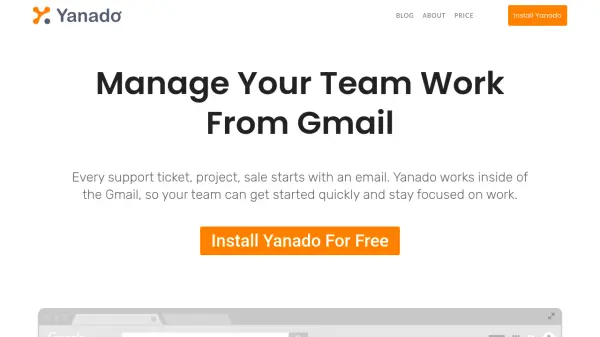
Yanado enhances productivity by embedding comprehensive project and task management features seamlessly into Gmail. Teams can create and delegate tasks, manage projects using Kanban-style boards or list views, and track progress—all without switching between apps. Custom statuses, tags, and fields allow businesses to tailor workflows to specific processes, while real-time notifications ensure everyone stays up to date.
With additional tools like email-to-task conversion, Google Calendar integration, shared inboxes, and reporting, Yanado helps teams streamline communication and operations. The platform also supports robust collaboration, allowing users to comment on tasks, set reminders, and use ready-made templates, making workflow management intuitive and efficient inside Gmail.
Features
- Project Management: Manage projects with Kanban or list views inside Gmail.
- Email-To-Task Conversion: Turn emails into actionable tasks with a single click.
- Real-Time Notifications: Receive project and task updates without additional emails.
- Custom Statuses and Fields: Tailor workflows with customizable statuses and fields.
- Shared Inboxes: Collaborate via shared email threads for smoother team communication.
- Reminders and Due Dates: Set reminders and due dates, synced with Google Calendar.
- Reports: Track team and individual performance with visual reports.
- Task and List Templates: Reuse common task setups for recurring work.
- Integrations: Connect with Google Drive, Slack, and Zapier for extended functionality.
- Subtasks and Delegation: Break down tasks and easily delegate to team members.
Use Cases
- Managing sales pipelines and boosting sales productivity within Gmail.
- Organizing marketing campaigns and editorial calendars with Google Calendar integration.
- Providing coordinated customer support via shared inboxes and task templates.
- Coordinating internal operations with Kanban boards and deadline tracking.
- Tracking project progress and team responsibilities across departments.
- Delegating and managing tasks for remote or distributed teams.
FAQs
-
Is Yanado free for a single user?
Yes, single users can use Yanado free of charge as long as they do not require Startup or Premium features. -
What happens when my free trial ends?
After the trial, you may upgrade to a paid plan for advanced features or continue with the free plan if it meets your needs. -
How does the money-back guarantee work?
If you are unsatisfied, you can request a refund within the first 30 days for monthly contracts; refunds are not issued after this period. -
What methods of payment are accepted?
Yanado accepts Paypal, Visa, Mastercard, Discover/Diners, Maestro, and JCB. Annual packages may also be paid by wire transfer upon request.