What is XSplit?
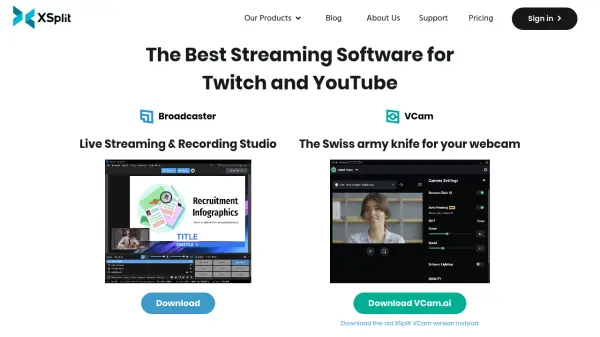
XSplit provides a suite of video software designed for content creators, professionals, and businesses. The primary tools offered are XSplit Broadcaster and XSplit VCam, catering to live streaming, video recording, and webcam enhancement needs.
XSplit Broadcaster serves as a comprehensive live streaming and recording studio. It enables users to create professional-looking productions with features like a layout wizard for scene building, multistreaming capabilities to platforms such as YouTube, Twitch, and Facebook, and high-quality video recording options. XSplit VCam utilizes AI to manage webcam backgrounds effectively without requiring a green screen. It allows users to remove, replace (with images or videos), or blur their webcam background, enhancing the visual quality for online meetings, presentations, and content creation.
Features
- Professional Layouts: Layout Wizard helps build multiple professional scenes for various production types.
- Multistreaming: Stream simultaneously to multiple platforms including YouTube, Twitch, and Facebook.
- High-Quality Recording: Capture video content with intuitive audio management and multiple scene support.
- AI Background Removal (VCam.ai): Removes webcam background entirely without needing a green screen.
- AI Background Replacement (VCam.ai): Substitutes webcam background with custom images or videos.
- AI Background Blur (VCam.ai): Applies a smooth blur effect to the webcam background for enhanced focus.
Use Cases
- Live streaming gameplay or events to platforms like Twitch and YouTube.
- Recording professional-quality video content and podcasts.
- Enhancing webcam video for online meetings, presentations, and calls.
- Creating and delivering professional webinars and online classes.
- Producing virtual events, conferences, and interactive product demonstrations.
- Conducting polished remote interviews and Q&A sessions.