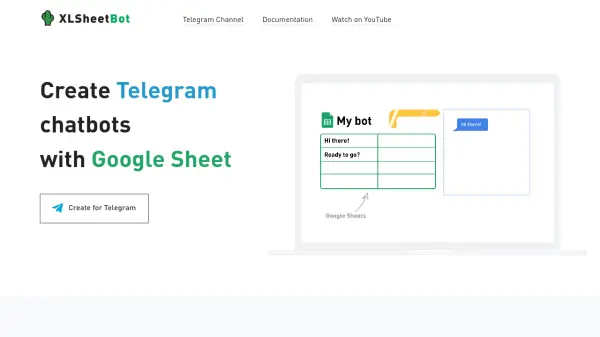
What is XLSheet Bot?
XLSheet Bot is a tool that allows users to create and manage Telegram chatbots directly through Google Sheets. It simplifies bot development by leveraging the familiar interface of spreadsheets, enabling users to design rich content, build interactive flows, and automate messaging without coding. The platform integrates all bot functionalities into one Google Spreadsheet, making it easy to organize and update bot responses, forms, and user data.
Users can send follow-up messages, broadcast updates, and keep customer information stored in the spreadsheet for seamless management. The tool supports both free and pro versions, with pro pricing based on the number of subscribers, ensuring cost-effective scaling. It requires a Telegram bot token from BotFather and a Gmail account to get started, with detailed documentation and examples available for guidance.
Features
- Easy design with Google Sheets: Create and manage bot content using the familiar spreadsheet interface
- Create Rich Content: Design engaging messages and media for Telegram interactions
- Build your own Flows: Develop interactive conversation paths and automation sequences
- Design Forms: Create custom forms within the bot for data collection
- Send Follow-up messages: Automate personalized follow-ups based on user actions
- Broadcast messages: Send mass updates or announcements to all subscribers
- Keep customers in spreadsheet: Store and manage user data directly in Google Sheets
- All in one place: Integrate all bot functionalities into a single Google Spreadsheet
Use Cases
- Building customer support chatbots for Telegram
- Creating automated marketing bots for promotions and updates
- Developing interactive forms for surveys or registrations
- Managing subscriber communications with follow-up messages
- Broadcasting announcements to Telegram channel members
- Automating workflow processes with custom bot flows
FAQs
-
What are the steps to create a bot with XLSheet Bot?
To create a bot, get a token from BotFather, provide a Gmail address to generate a Google Spreadsheet, and use the spreadsheet to design and manage your bot's content and flows. -
How is the Pro version priced?
Pro accounts are billed based on the number of subscribers, with plans scaling from 500 to over 50k subscribers, and users only pay for what they use. -
Can I use XLSheet Bot for free?
Yes, there is a free version available to get started, with Pro features available for advanced needs based on subscriber count.