What is WP All Import?
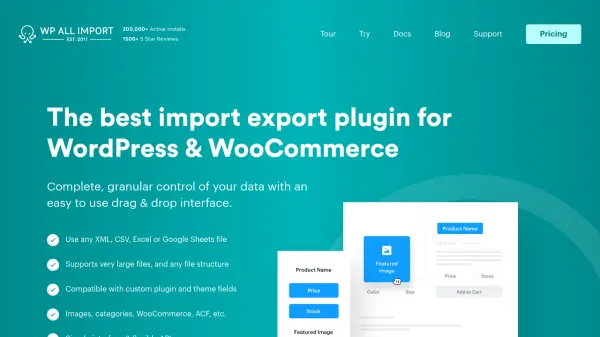
WP All Import provides a comprehensive solution for managing data within WordPress and WooCommerce environments. It features a user-friendly drag-and-drop interface that simplifies the process of importing data from CSV, XML, Excel, or Google Sheets files into any theme or plugin field. The tool automatically detects custom fields, taxonomies, image galleries, and other elements, ensuring compatibility with complex data structures. Users can update existing content without overwriting untouched data, making it ideal for maintaining website integrity.
Additionally, WP All Import facilitates data export to custom formats, migration between WordPress sites, and bulk editing through spreadsheet integration. It includes powerful scheduling options, developer-friendly features like a flexible API and custom PHP functions, and seamless integration with plugins such as WooCommerce, Advanced Custom Fields, and JetEngine. Trusted by over 12,000 customers, it offers unlimited site installations and world-class support backed by a 90-day money-back guarantee.
Features
- Drag-and-Drop Interface: Simplifies mapping data from files to WordPress fields with an intuitive interface
- File Type Support: Imports and exports data from CSV, XML, Excel, and Google Sheets files
- Integration Compatibility: Works seamlessly with WooCommerce, Advanced Custom Fields, JetEngine, and other popular plugins
- Scheduling Options: Allows automatic scheduling of imports and exports on any hosting environment
- Bulk Editing: Enables export of data to spreadsheets for editing and re-import with selective updates
Use Cases
- Importing product data from spreadsheets into WooCommerce stores
- Exporting user information from WordPress for analysis in Excel
- Migrating content and custom fields between different WordPress sites
- Bulk updating posts or listings by editing data in CSV files
- Synchronizing inventory and pricing data for e-commerce platforms
FAQs
-
What file types can be imported into WordPress?
WP All Import supports CSV, XML, Excel, and Google Sheets files, regardless of size or structure, using a drag-and-drop interface for easy mapping. -
Can I export WooCommerce products?
Yes, the plugin provides full support for exporting WooCommerce products, orders, customers, variations, and other related data to custom formats. -
Is there a limit to the number of sites where I can install the plugin?
No, all packages include unlimited installs, allowing use on an unlimited number of sites, including client websites. -
What happens if I don't renew my subscription?
You can continue using the plugins, but access to updates and support will expire; you can renew later to regain these benefits. -
Does the plugin offer a money-back guarantee?
Yes, WP All Import provides a 90-day money-back guarantee with full refunds for any reason, no questions asked.