What is BackupBliss?
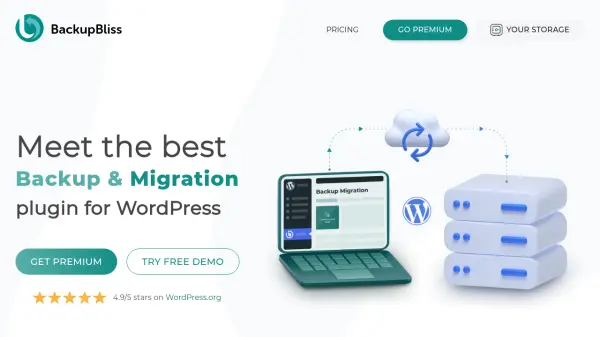
BackupBliss is a WordPress plugin designed for efficient backup creation and site migration. It provides a straightforward setup process where users can install the plugin, create backups with a single click, schedule automatic backups, and store them securely on BackupBliss storage or external services. The tool emphasizes ease of use, high backup speeds, and lightweight performance, making it suitable for WordPress site owners seeking reliable data protection.
The premium version enhances functionality with unlimited backup sizes, additional external storage options like OneDrive and SFTP, advanced file browsing for selective backup and restore, smart exclusion rules, and prioritized support. Features such as backup encryption and multisite support are in development. BackupBliss offers competitive pricing with yearly and lifetime licenses, including free cloud storage and discounts for bulk purchases, positioning it as an affordable solution in the backup plugin market.
Features
- High-Speed Backups: Fast backup creation even for large sites with lightweight plugin design
- Automatic Scheduling: Set up recurring backups to ensure continuous data protection without manual intervention
- External Storage Integration: Upload backups to BackupBliss cloud storage or external services like OneDrive and SFTP
- File Browser: Select specific files and folders to include or exclude from backups and restores
- Super-Fast Migration: Quickly transfer WordPress sites from one host to another with minimal downtime
- Smart Exclusion Rules: Automatically exclude unnecessary files such as cache and debug logs to optimize backup size
- Prioritized Support: Receive direct assistance from the support team for complex issues and faster resolutions
Use Cases
- Creating regular backups of WordPress websites to prevent data loss
- Migrating WordPress sites between hosting providers efficiently
- Setting up automated backup schedules for hands-free data protection
- Storing backups externally on cloud services for enhanced security
- Selectively restoring specific files or folders from backups after issues
- Managing backup storage by excluding unnecessary files to save space
- Using staging sites for testing changes without affecting the live website
FAQs
-
What is included in the free version of BackupBliss?
The free version includes high-speed backups for sites up to 4GB, scheduling of backups, super-fast migration, 1GB of BackupBliss cloud storage, external storage options like Google Drive and Dropbox, and free support for non-tricky cases in the WordPress forum. -
How does the premium version improve upon the free version?
The premium version adds unlimited backup sizes, 5GB of free BackupBliss storage for the first year, more external storage options like pCloud, file browser for selective backup and restore, smart exclusion rules, email notifications, multisite support, and prioritized support for tricky cases. -
Can I use BackupBliss on multiple websites with one license?
A single premium license is valid for two websites. Licenses can be transferred between sites, and discounts are available for bulk purchases, such as 10 sites for $59 per year. -
What external storage options are supported by BackupBliss?
BackupBliss supports external storage options including Google Drive, OneDrive, Dropbox, BackupBliss cloud, FTP, and SFTP, with pCloud and others coming soon in updates. -
How does BackupBliss ensure backup security?
BackupBliss offers features like backup file encryption and password protection (coming soon), along with secure storage on external services, to protect data from unauthorized access and loss.