What is Admin Columns?
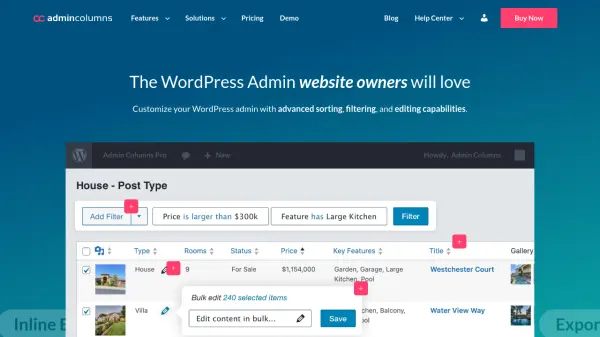
Admin Columns transforms the standard WordPress admin interface into a highly efficient content management system. This plugin allows users to customize list tables with advanced functionality that streamlines workflow and improves productivity.
With features like inline editing, bulk editing, smart filtering, and customizable column sets, users can manage posts, users, products, and custom post types directly from overview screens. The tool integrates seamlessly with popular WordPress plugins including Advanced Custom Fields, WooCommerce, and Yoast SEO, providing a comprehensive solution for complex content management needs.
Features
- Inline Editing: Edit content directly from list tables without opening individual edit pages
- Smart Filtering: Filter content using various operators to find specific data quickly
- Bulk Editing: Update multiple items simultaneously across filtered results
- Export Everything: Export filtered and sorted data to CSV format with one click
- Customizable Columns: Create and switch between custom column sets for different workflows
Use Cases
- Managing large WordPress sites with extensive content libraries
- Streamlining e-commerce product management for WooCommerce shops
- Improving user management workflows for membership sites
- Handling custom post types and advanced custom fields efficiently
- Creating custom admin views for different team members or roles
FAQs
-
Does Admin Columns offer a free trial?
No, Admin Columns does not offer a free trial, but it does provide a 30-day money-back guarantee for risk-free testing. -
What happens when my Admin Columns license expires?
The plugin will continue to function normally, but you will lose access to updates and premium support until you renew your license. -
Can I upgrade my Admin Columns license?
Yes, you can upgrade your license at any time from your account page and only pay the difference between plans. -
Does Admin Columns work with development or staging sites?
Yes, Admin Columns automatically detects and excludes development or staging sites from license limits. -
Is Admin Columns compatible with multilingual WordPress sites?
Yes, Admin Columns is multilingual ready and ships with translations for many languages.