What is WikiTimeline?
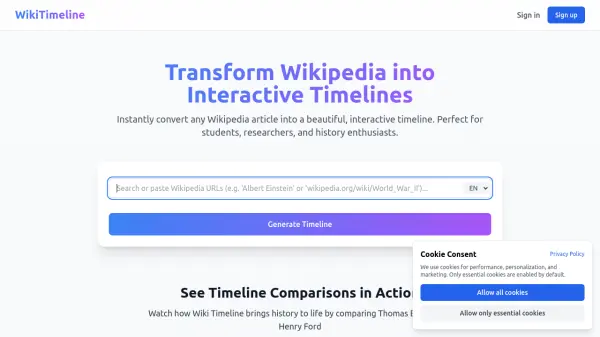
WikiTimeline is an innovative tool designed to instantly transform any Wikipedia article into a visually appealing and interactive timeline. It serves as a valuable resource for students, researchers, and history enthusiasts who seek to understand historical narratives and connections in a more engaging format than standard text. The platform aims to make learning about history more accessible and dynamic by providing clear, chronological visualizations of events and figures.
Users can generate these timelines from Wikipedia articles available in over ten languages. For an enhanced experience, creating a free account unlocks premium features such as the ability to track viewed timelines and enjoy ad-free browsing. WikiTimeline is continuously evolving, with future plans to introduce functionalities like saving favorite timelines and creating custom, user-defined timelines. Additionally, the platform offers a curated Timeline Gallery and features comparisons between notable historical figures or events, further enriching the learning journey.
Features
- Wikipedia to Timeline Conversion: Instantly converts any Wikipedia article into an interactive timeline.
- Interactive Visualization: Presents historical information in a beautiful and engaging timeline format.
- Timeline Comparisons: Allows users to create and view comparisons between historical figures or events.
- Timeline Gallery: Offers curated collections of historical timelines across various themes, like 'Famous Scientists' or 'Renaissance Masters'.
- Multilingual Support: Supports timeline generation from Wikipedia sources in over 10 languages.
- User Accounts: Sign-in to track viewed timelines and enjoy ad-free browsing.
- Upcoming Premium Features: Future enhancements include saving favorites and creating custom timelines.
Use Cases
- Students visualizing historical events for educational purposes.
- Researchers analyzing chronological data from Wikipedia articles.
- History enthusiasts exploring historical figures and events interactively.
- Educators creating engaging learning materials from Wikipedia content.
- Comparing the lifespans and key events of different historical personalities.
- Gaining a quick visual overview of a subject's history from Wikipedia.
FAQs
-
What kind of content can be converted into a timeline?
WikiTimeline can convert any Wikipedia article into an interactive timeline, allowing you to visualize its content chronologically. -
Are there any benefits to signing up for an account?
Yes, signing up for a free account allows you to track your viewed timelines and enjoy an ad-free browsing experience. More premium features, such as saving favorites and creating custom timelines, are planned for the future. -
Does WikiTimeline offer pre-made timelines?
Yes, WikiTimeline features a Timeline Gallery with curated collections of historical timelines on various themes and hand-picked comparisons of historical figures. -
Is it possible to compare different historical events or figures?
Yes, the tool allows you to create your own timeline comparisons between any historical figures or events. It also offers featured comparisons like 'Edison | Tesla' or 'Bill Gates | Steve Jobs'. -
How many languages does WikiTimeline support for timeline generation?
WikiTimeline supports generating timelines from Wikipedia sources in over 10 languages, making historical information accessible globally.