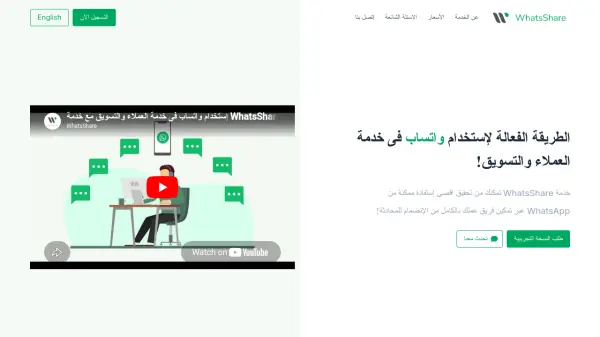
What is WhatsShare?
WhatsShare is a powerful platform designed to streamline WhatsApp usage for businesses. It allows multiple team members to access and respond to WhatsApp messages from different computers and phones at the same time, overcoming the single-device limitation of standard WhatsApp. The tool provides a lightweight and fast chat interface, supports bulk messaging, and includes a free CRM system for managing customer data. With features like automatic message distribution, quick replies, and conversation tagging, WhatsShare enhances teamwork and productivity in customer service and marketing.
Features
- Multi-User Access: Allow multiple team members to access and respond to WhatsApp messages from different devices simultaneously.
- Shared Inbox: A unified inbox for all your WhatsApp accounts, making it easy to manage conversations.
- Bulk Messaging: Send hundreds of WhatsApp messages daily to any number worldwide, with support for SMS and email.
- Built-in CRM: A simple and easy-to-use customer relationship management system for storing and organizing client information.
- Automatic Routing: Automatically distribute conversations to the right team channels or departments.
- Quick Replies: Predefined responses with variable support for faster and more consistent replies.
- Conversation Tags: Organize conversations with channels and tags, with internal notes for team collaboration.
- Auto Welcome Messages: Send automatic greeting messages to new conversations.
- Message Scheduling: Schedule messages to be sent at a later time.
- SSL Encryption: All connections are encrypted with SSL for secure data transmission.
- Daily Backups: Automatic daily backups of all data.
Use Cases
- Customer support teams handling high volumes of WhatsApp inquiries.
- Marketing teams conducting bulk WhatsApp campaigns.
- Sales teams communicating with leads via WhatsApp.
- Educational institutes managing student queries on WhatsApp.
- E-commerce businesses providing order updates and support via WhatsApp.
- Real estate agencies following up with clients on WhatsApp.
- Healthcare clinics scheduling appointments and answering patient questions.
- Restaurants taking orders and reservations through WhatsApp.
FAQs
-
Who is this service for?
This service is aimed at businesses and organizations that have customer service or marketing efforts, such as training institutes, travel agencies, real estate companies, delivery services, restaurants, clinics, and pharmacies. -
Is there a limit on messages or conversations?
The number of messages is unlimited for all plans. The number of conversations is linked to the subscription plan per number, and you can always upgrade to a higher plan to increase this limit. -
How many users can reply at the same time?
The number depends on the subscription plan, starting from 6 users for the Basic plan to 18+ users for the Ultimate plan. -
How does WhatsShare work?
WhatsShare provides an alternative chat interface to WhatsApp Web, but it is available for multiple users at the same time. You connect your phone by scanning a QR code, then everyone can log in and reply to messages. -
What payment methods are accepted?
We support Visa, credit cards, and PayPal. Transactions are processed through a third party (Paddle), and we do not store any of your financial information.