What is Weld?
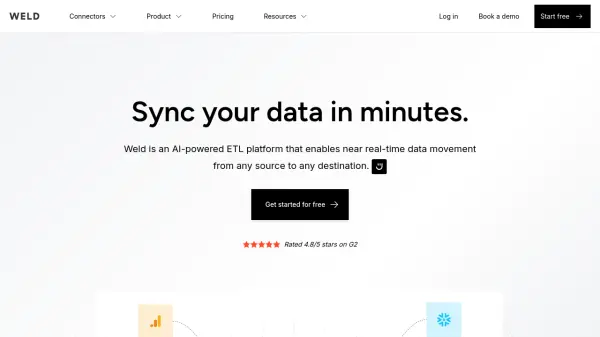
Weld delivers a comprehensive ETL (Extract, Transform, Load) solution powered by artificial intelligence, designed to streamline data integration and management processes. The platform enables seamless connectivity between various data sources, including popular marketing tools, applications, databases, and file systems.
The platform features Ed, an AI assistant, alongside robust data transformation capabilities, SQL editing tools, and data lineage tracking. With support for multiple data warehouses, BI tool integration, and enterprise-grade security features including SOC 2 Type II compliance, Weld provides a scalable solution for organizations seeking efficient data synchronization.
Features
- AI Assistant (Ed): Intelligent data management support
- Data Transformations: SQL Editor and custom transformation capabilities
- Multi-source Integration: Connect with various data sources and destinations
- Automated Syncing: Customizable sync frequencies from 5 minutes to daily
- Security: SOC 2 Type II compliance and 2FA authentication
- Data Lineage: Track and visualize data flow and dependencies
- Version Control: Manage and track changes in data workflows
- BI Tool Integration: Connect with popular business intelligence platforms
Use Cases
- Marketing data consolidation
- E-commerce data integration
- Business intelligence reporting
- Database synchronization
- Data warehouse management
- Cross-platform data analysis
FAQs
-
Can I trial Weld for free?
Yes, all plans include a 14-day free trial with full access to the platform. -
What is a connector?
A connector links the tool to apps, files, ad platforms, and databases to move data to and from them. Each connector supports unlimited syncs, and only unique connectors are counted. -
Do I pay for data usage?
No, plans come with a fair usage policy that ensures generous usage limits for data syncing. Only a small percentage of customers ever hit these limits.