AI Squared favicon

AI Squared
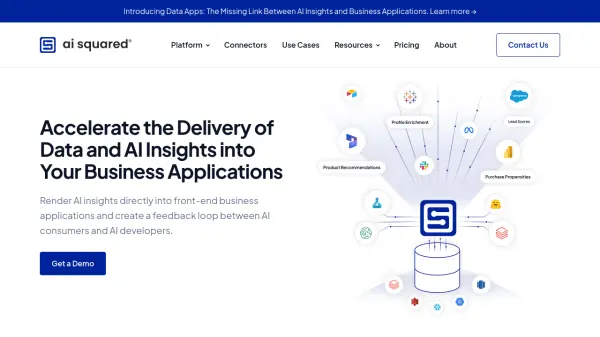
Accelerate the Delivery of Data and AI Insights into Your Business Applications

What is AI Squared?

AI Squared empowers businesses to operationalize AI by rendering insights directly into front-end applications. This creates a crucial feedback loop, fostering collaboration between AI consumers and developers for enhanced refinement and UI optimization.

The platform facilitates the delivery of tailored, AI-derived intelligence, driving AI confidence and maximizing business adoption for improved outcomes. AI Squared effectively puts the right information in the right place.

Features

  • Enterprise Reverse ETL: Sync data at scale from the warehouse to your business tools.
  • Open-Source Reverse ETL: Self-hosted, forever-free Reverse ETL.
  • ML Ops: Operationalize ML and Large Language Models.
  • Data Apps: Augment business workflows by rendering AI insights directly into the UI.
  • Connectors: Integrate various data sources and destinations.

Use Cases

  • Optimize business workflows with embedded AI insights.
  • Enhance decision-making with tailored AI intelligence.
  • Foster collaboration between data scientists and business users.
  • Fine-tune ML model performance for maximum business adoption.
  • Sync data between data warehouses and business applications.

Related Tools:

Blogs:

  • Best ai tools for Twitter Growth

    Best ai tools for Twitter Growth

    The best AI tools for Twitter's growth are designed to enhance user engagement, increase followers, and optimize content strategy on the platform. These tools utilize artificial intelligence algorithms to analyze Twitter trends, identify relevant hashtags, suggest optimal posting times, and even curate personalized content.

  • Top 6 AI note-taking tools for 2026: in-person, online, and hybrid use cases

    Top 6 AI note-taking tools for 2026: in-person, online, and hybrid use cases

    Most AI note-taking lists are really lists of meeting bots, which join your video call and transcribe it. That's useful, but it's half the picture. Decisions happen in hallway conversations, client dinners, on-site visits, and hybrid rooms where nobody is on a video link. This guide covers different parts of the note-taking workflow: hardware capture for in-person settings, platform-native tools for online calls, and AI layers for organizing and synthesizing what you've captured. It compares six tools by capture context, workflow fit, pricing, and limitations.

Didn't find tool you were looking for?

Be as detailed as possible for better results