What is WebsiteChat?
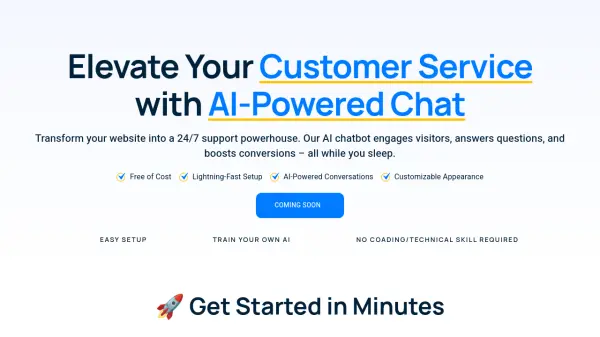
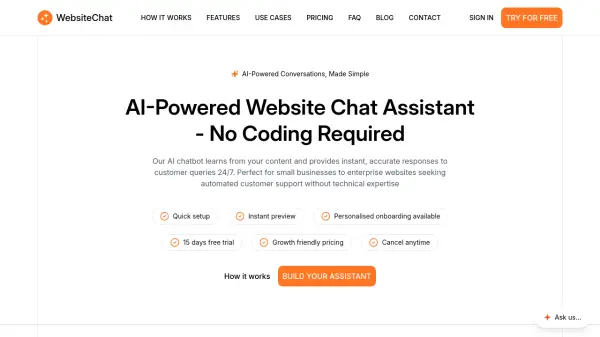
WebsiteChat is an AI-powered chatbot solution designed to automate customer support on websites. It learns from uploaded content such as PDFs and website URLs to deliver intelligent, context-driven responses to visitor queries. The tool requires no coding skills and integrates seamlessly with various platforms including WordPress, Shopify, and Webflow.
Users can customize the chatbot's appearance to match their brand and track performance through real-time analytics. With features like a 15-day free trial and growth-friendly pricing, WebsiteChat helps businesses enhance user interactions, save time, and improve efficiency by providing 24/7 automated support.
Features
- Intelligent Conversations: Advanced natural language processing understands customer intent and delivers contextual responses
- Customizable Look & Feel: Tailor colors, fonts, and chat styles to perfectly reflect your brand's personality
- Content-Trained AI: Upload PDFs and website URLs to train your chatbot with your specific business knowledge
- Real-Time Analytics: Monitor customer interactions, track engagement, and optimize your AI assistant's performance
Use Cases
- SaaS platforms converting questions into signups
- Local businesses answering customer queries 24/7
- Educational institutions simplifying admissions processes
- Law firms building trust through instant responses
- Agencies creating dynamic client websites
- Tour operators converting travel inquiries into bookings
- Freelancers and coaches qualifying leads automatically
- Civic platforms providing clear government information
- Healthcare providers reducing front-desk pressure
FAQs
-
What is WebsiteChat and how does it work?
WebsiteChat is an AI-powered chatbot that learns from your content to provide instant responses to customer queries on your website. -
Do I need coding skills to use WebsiteChat?
No, WebsiteChat requires no coding skills and integrates easily with various platforms. -
Can I customize the assistant?
Yes, you can customize colors, fonts, and chat styles to match your brand. -
Which platforms does WebsiteChat integrate with?
It integrates with WordPress, Shopify, Webflow, Wix, Squarespace, Framer, and other popular platforms. -
Is there a free trial available?
Yes, WebsiteChat offers a 15-day free trial.