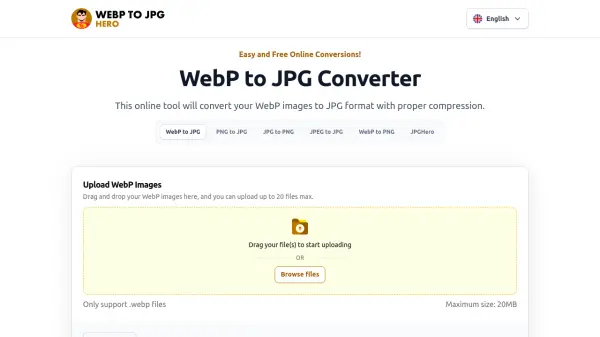
What is WebPtoJPGhero?
WebPtoJPGhero is an online conversion tool designed to transform WebP images into the widely compatible JPG format. The platform offers a straightforward process where users can upload WebP files, adjust compression and resolution settings as needed, and download the converted JPG images efficiently. It supports batch conversions of up to 20 files at once, with automatic processing that typically takes 2-5 seconds per file.
The tool emphasizes security by temporarily storing files on its servers for conversion and automatically deleting them within an hour, ensuring user privacy. It provides flexibility through customizable settings, allowing users to balance image quality and file size according to their requirements. This makes it suitable for various applications where format compatibility and image optimization are essential.
Features
- Batch Conversion: Convert up to 20 WebP files to JPG simultaneously
- Customizable Compression: Adjust compression levels and resolution in settings for optimal image quality and size
- No Software Required: Access directly through a web browser without installations
- Secure Processing: Files are temporarily stored and automatically deleted from servers within an hour
- High Resolution Support: Supports conversions up to 5000 × 5000 pixels
Use Cases
- Converting WebP images for compatibility with devices or applications that do not support WebP format
- Optimizing image file sizes for web use by adjusting compression settings
- Batch processing multiple WebP files for efficient workflow management
- Preparing images for sharing or storage in the widely accepted JPG format
FAQs
-
What is the maximum file size supported for conversion?
The maximum file size supported is 20MB per WebP file. -
How long does the conversion process take?
Conversion typically takes 2-5 seconds per file and starts automatically after upload. -
Can I convert WebP to other formats besides JPG?
The tool primarily converts WebP to JPG, but related tools on the site may support other formats like PNG. -
Is there a limit to the number of conversions I can perform?
No, the tool is free to use without limits on the number of conversions. -
What happens if I upload a file that is not in WebP format?
The tool only supports .webp files; non-WebP files will not be processed.