What is PNGtoJPGhero?
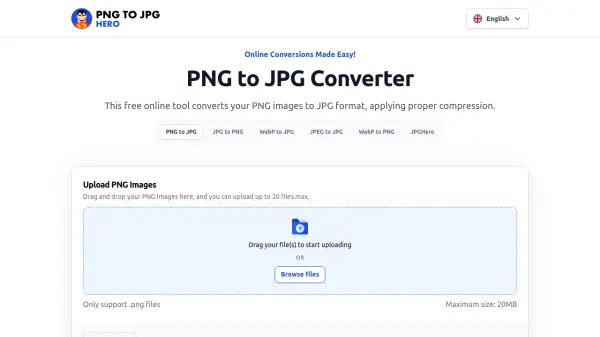
PNGtoJPGhero is a free online tool that allows users to convert PNG images to JPG format quickly and efficiently. The converter applies proper compression to reduce file sizes while preserving image quality, making it ideal for web use, graphic design, and storage optimization. Users can upload up to 20 files at once, with a maximum file size of 20MB per image.
Beyond basic conversion, the tool eliminates transparent backgrounds from PNG files, producing JPG outputs that are better suited for graphic design projects. Photographers and digital artists benefit from lossy compression that optimizes images for display on websites and social media. The service processes conversions online, ensuring compatibility across devices including phones and tablets.
Features
- Batch Conversion: Convert up to 20 PNG files simultaneously.
- Compression: Applies proper compression to reduce file size while maintaining image quality.
- Transparency Removal: Automatically eliminates transparent backgrounds for better compatibility.
- Cross-Platform: Works online on any device, including phones and tablets.
- Free Service: No cost or hidden fees for conversion.
- Privacy Protection: Files are deleted from servers after one hour.
Use Cases
- Convert PNG images to JPG for web optimization
- Remove transparency from PNG files for graphic design
- Reduce file size of image collections for storage
- Batch convert logos or icons for uniform format
- Prepare images for social media or email attachments
FAQs
-
Is PNG better or JPG?
PNG is better for lossless images, digital graphics, logos, and photos for printing. JPG is better to balance good image quality with smaller file sizes, such as for web images and email attachments. -
How to batch-convert PNG to JPG?
You can process your files in batch by uploading multiple PNG images using the 'Browse files' button. Convert them in one click and download your files in JPG format. -
Can I convert PNG files on my phone?
Yes, this converter works online on any device with internet access, including phones and tablets. -
Does the conversion process affect image quality?
Although JPG uses lossy compression, this converter strives to maintain image quality by using advanced algorithms to balance compression and visual clarity. -
What happens to my PNG file after conversion?
After conversion, your original PNG file is deleted from servers immediately. Your converted JPG files will be deleted after one hour.