What is Wallow?
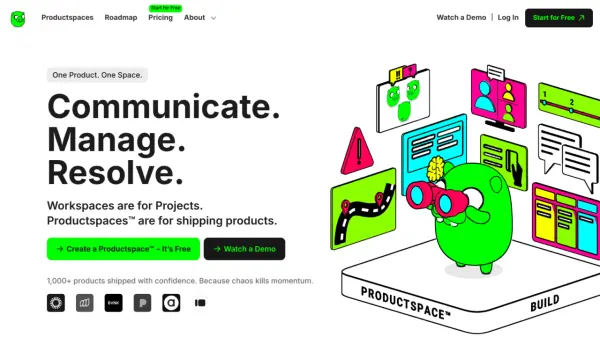
Wallow offers a unified platform called Productspace™ designed to help startups and teams streamline their workflow. It centralizes communication, project management, issue resolution, and even payments into a single, cohesive environment.
This approach allows teams to stay aligned, track progress, and address roadblocks effectively without the need to switch between multiple applications. Wallow is built to eliminate tool fatigue and keep teams focused on building and shipping products.
Features
- Product Roadmap: Visualize and track product development progress.
- Product News: Keep the team updated on the newest information.
- Product Files: Centralized repository for all product-related documents.
- Product Backlog: Prioritize and manage tasks effectively.
- Product Issues: Track and resolve issues promptly.
- AI Chat: AI-powered assistance for spotting patterns and removing blockers.
- Calls: Integrated video conferencing for instant communication.
- Teams: Manage different groups in one platform.
- Wallow Payments: Integrated payment system for seamless freelancer compensation.
- Analytics: Data-driven insights to identify trends and improve performance.
- Achievements: Recognition system for team members who solve problems.
Use Cases
- Streamlining communication within product development teams.
- Managing tasks and projects in a centralized location.
- Tracking and resolving issues that hinder product development.
- Facilitating payments to freelancers and team members.
- Analyzing data to identify trends and improve team performance.
- Keeping teams aligned on product vision and progress.
- Centralizing product documentation and files.
- Setting and tracking Objectives and Key Results (OKRs).
FAQs
-
What are Wallow Productspaces?
Wallow Productspaces are dedicated areas within Wallow where teams can organize their work, communication, and files related to a specific product or project. -
How does Wallow use AI to boost productivity?
Wallow uses AI to identify patterns in issues, predict potential delivery roadblocks, and highlight recurring problems, enabling teams to proactively address them and improve efficiency. -
Can I manage multiple products with Wallow?
Yes, Wallow supports managing multiple products through its Productspaces feature, allowing for organized and structured workflows for each product. -
How does Wallow help with team alignment?
Wallow facilitates team alignment by providing a shared space for communication, project tracking, and updates, ensuring everyone is on the same page and working towards common goals. -
How does Wallow help improve communication and reduce silos?
Wallow serves as a central hub for communication, discussions, and updates, preventing information from being scattered across different tools and channels. This helps teams communicate effectively, share feedback, and stay aligned on product vision and updates.