What is Workstreams.ai?
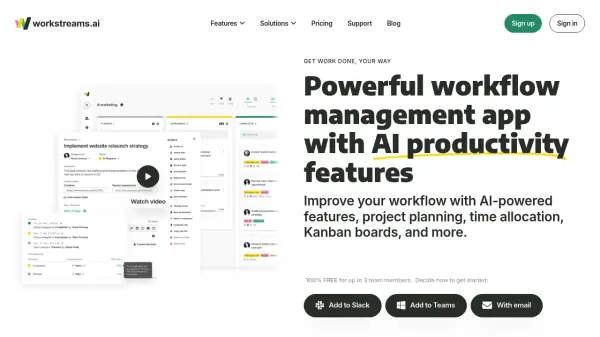
Workstreams.ai is a comprehensive workflow management application designed to empower teams and maximize productivity. It provides a range of features, including AI-powered task management, time allocation tracking, customizable Kanban boards, and an in-app calendar. The platform integrates seamlessly with Slack and Microsoft Teams, enabling users to create and manage tasks directly within their communication channels.
Workstreams.ai facilitates efficient project planning and execution by standardizing processes with workflows. It provides AI tools to automate tasks, generate detailed task descriptions. These comprehensive features of Workstreams.ai are developed to improve teams processes and make it efficient.
Features
- AI Task Description Generator: Create detailed task descriptions from prompts, with adjustable detail levels.
- Action Items: Convert task descriptions into checkable subtasks with assignees.
- Prompt Shortcuts: Save frequently used prompts for instant access.
- Time Allocation: Track time spent on each task to identify bottlenecks and improve efficiency.
- Frozen Tasks: Visually identify tasks that have been stalled.
- In-App Calendar: View tasks in monthly, weekly, and daily views.
- Automated Repeating Tasks: Schedule tasks to repeat at specific intervals.
- Integrations: Seamlessly integrate with Slack and Microsoft Teams.
- Ownership: Assign task and workflow ownership.
- Auto-forwarding: Set rules to automatically forward tasks to different workflows.
- Flexible Kanban: Utilize Kanban boards for agile and productive workflows.
Use Cases
- Marketing campaign management
- HR and recruiting processes
- Customer support request handling
- IT development project management
- Sales process optimization
- Account management
- Agencies Project Management
FAQs
-
How does the workstreams.ai pricing work?
The workstreams.ai Free plan is available for free for up to 3 team members. The Pro plan is priced per user per month, with discounts for annual and quarterly billing. -
We need to add more people to our team. How will that be billed?
You can add as many new members, your monthly bill will be adjusted based on real usage. -
What forms of payment do you accept?
We use Stripe. You can purchase workstreams.ai PRO with any major credit card. -
How secure is workstreams.ai?
All workstreams.ai communication is secured with HTTPS protocol. We don't store any data about your users or communication. We store data that you create with workstreams.ai - Tasks, Labels, and Goals