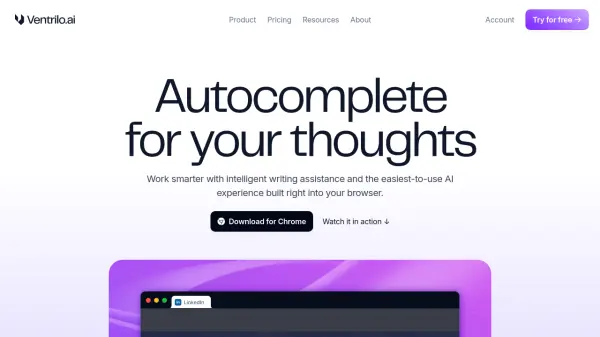
What is Ventrilo.ai?
Ventrilo.ai functions as an intelligent writing assistant directly within the Chrome browser, designed to enhance productivity and streamline workflows. It provides real-time, context-aware autocomplete suggestions as users type across various webpages and online applications. The tool analyzes content from active browser tabs, uploaded documents, and user preferences to generate relevant sentence completions and starting points, aiming to make writing clearer and more natural with minimal effort.
Beyond writing assistance, Ventrilo.ai features a sidebar chat interface that allows users to interact conversationally with the content of their open browser tabs, uploaded files (like documents or screenshots), and data. This enables users to summarize information, extract key points, or ask detailed questions about the contextual material. The platform integrates access to multiple leading AI models, such as those from OpenAI (ChatGPT), Anthropic (Claude), and Google (Gemini), with an option for automatic model selection based on the task.
Features
- Autocomplete Writing Assistance: Finishes and starts sentences instantly based on context.
- Context-Aware Suggestions: Utilizes active tabs, uploaded documents, and preferences for tailored suggestions.
- Browser Integrated Chat: Interact with content from tabs, files, and screenshots via a sidebar chat.
- Document Interaction: Upload and chat with documents to summarize, extract points, or ask questions.
- Multi-Model AI Access: Use top AI models like ChatGPT, Claude, and Google Gemini, or let the tool auto-select.
- Dynamic Context Integration: Seamlessly uses browser tabs, files, and screenshots as context for chat and writing.
Use Cases
- Scaling personalized sales outreach using prospect information from open tabs.
- Synthesizing research by chatting with multiple sources in the sidebar.
- Creating reports by interacting with data across different tabs and documents.
- Improving email communication speed and quality with AI suggestions.
- Brainstorming product ideas and strategy based on contextual information.
- Analyzing documents by summarizing sections or extracting key points.
- Comparing information from different web pages or documents efficiently.
FAQs
-
Does Ventrilo.ai support platforms other than Chrome?
Currently, Ventrilo.ai is available as a Chrome browser extension. Support for mobile devices, native desktop, or other browsers is not explicitly mentioned. -
How does Ventrilo.ai ensure data privacy?
Ventrilo.ai encrypts data at rest and in transit, maintains SOC 2 certification, retains browser/document content for a maximum of 7 days, does not sell personal data for ads, and does not use personal data to train AI models. -
What AI models can be accessed through Ventrilo.ai?
Ventrilo.ai provides access to baseline AI models in the free plan and premium models like GPT-4o, Claude 3.7 Sonnet, and Google Gemini 2.0 Flash in the Plus plan. An 'Auto' mode can also select the model automatically. -
Are there usage limits on the free plan?
Yes, the free Basic plan has daily usage limits. The paid Plus plan offers significantly higher limits (20x more) and unlimited autocomplete suggestions. -
Can Ventrilo.ai be deployed on-premise?
Yes, on-premise, private cloud, and dedicated instance deployment options are available for Enterprise customers.