What is Twist?
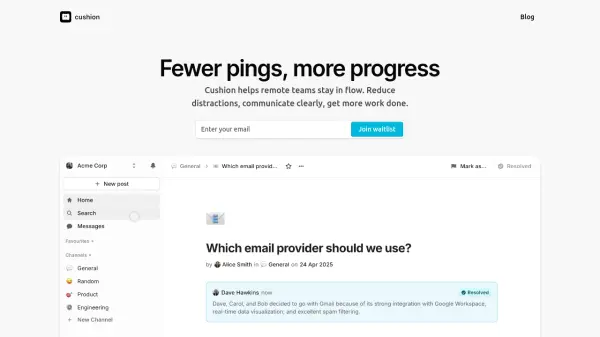
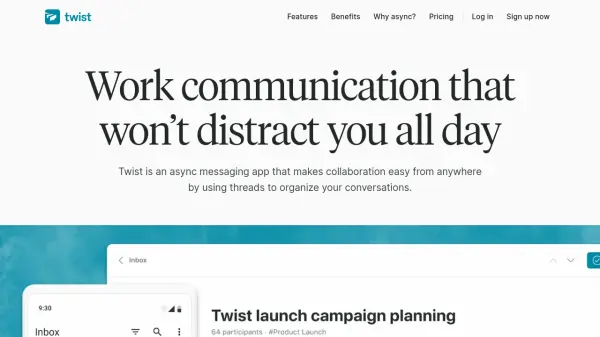
Twist offers a modern approach to team communication, focusing on asynchronous messaging to help companies collaborate efficiently from anywhere. By organizing conversations into clear, structured threads and channels, teams can easily access information, avoid endless chat streams, and maintain context over time.
Users benefit from focused notifications, intuitive message history access, and seamless integration with commonly used apps. Twist is designed to minimize workplace distractions and support deep work, promoting productivity and reducing stress by eliminating the 'always-on' culture of traditional chat platforms.
Features
- Threaded Conversations: Keeps discussions organized and searchable for easy reference.
- Asynchronous Messaging: Enables team communication without real-time pressure.
- Structured Channels: Organizes work by topic, project, or client for clear collaboration.
- Focused Notifications: Prioritizes important updates to reduce distractions and anxiety.
- Message History Access: Allows teams to access past conversations and facilitate onboarding.
- Private Messaging: Supports secure, one-on-one exchanges with familiar features.
- Integrations: Offers compatibility with popular tools and supports custom automation.
- Guest Access: Provides controlled access for external collaborators.
- Scalable Accounts: Supports large teams with internal and external member options.
- File Storage: Shares and stores files for collaborative work environments.
Use Cases
- Managing team discussion threads for remote or hybrid teams
- Onboarding new employees with historical context
- Collaborating on projects across time zones
- Replacing meeting overload with asynchronous updates
- Enabling focused work by minimizing notification distractions
- Providing structured communication for client projects
- Facilitating agency-client collaboration in a controlled channel
- Supporting distributed teams with easy conversation access
FAQs
-
What happens to my threads and messages after a month in the free version of Twist?
In the free version, thread comments and messages older than one month cannot be viewed or searched, but all data remains securely stored and becomes accessible again after upgrading. -
Will I lose my data if I downgrade from the Unlimited plan?
No, your data is never deleted, but messages older than one month become inaccessible in the free version. They are available again upon re-subscribing to the Unlimited plan. -
What is a guest in Twist?
A guest is a limited team member with access only to specific channels they are invited to, and can be set as single-channel or multi-channel guests. -
How much does it cost to have guests on my Twist team?
All guests are free on the free plan, while single-channel guests are free and multi-channel guests are billed as members in the Unlimited plan. -
Can I mix free members and Unlimited members in the same team?
Teams using Unlimited are billed for every member and multi-channel guest; for free members, a separate free team can be created and users can easily switch between teams.