

What is TravelSpend?
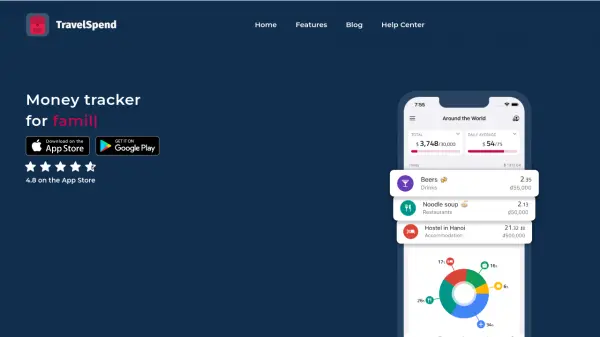
TravelSpend is a dedicated money tracker designed for travelers seeking efficient budget management on the go. The platform allows users to add expenses quickly, even offline, with automatic foreign currency conversion to ensure seamless record-keeping regardless of location. TravelSpend enhances the travel experience by offering insightful visualizations of spending data, helping users analyze patterns and avoid overspending.
Collaborative features include real-time data syncing across devices, cost-splitting tools for groups, and easy sharing with trip companions. Users can view their expenditures on a map, export reports to CSV, and ensure no detail is missed in their financial planning for trips overseas or local adventures. The intuitive interface and comprehensive tools make it easy to stick to budgets and foster transparency among travel partners.
Features
- Offline Expense Entry: Add and manage expenses without internet access.
- Automatic Currency Conversion: Instant conversion of foreign currencies to home currency.
- Data Visualization: Graphical insights into individual and group spending.
- Real-Time Syncing: Keep budgets updated across all devices.
- Collaborative Budgeting: Invite friends or family to manage expenses together.
- Cost Splitting: Track and settle group debts and shared bills.
- Map Integration: Link expenses to specific locations and view them on a map.
- Data Export: Export spending data to CSV for reports.
Use Cases
- Track daily travel expenses during international trips.
- Manage and split group trip costs with friends or family.
- Keep a real-time overview of trip budget and avoid overspending.
- Analyze spending habits and adjust travel plans accordingly.
- Export expense reports for post-trip financial records.