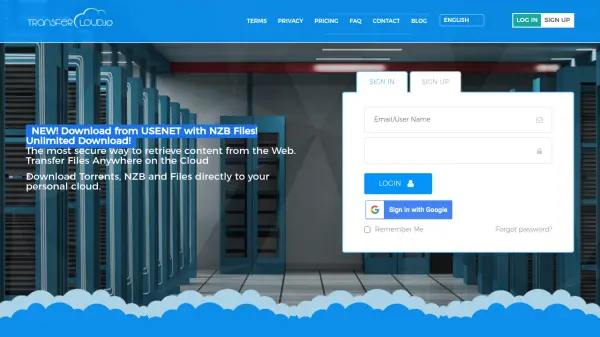
What is TransferCloud?
TransferCloud is a comprehensive internet file transfer service that enables users to download files from various sources—including torrents, magnets, NZB files, and direct web links—directly to their cloud storage accounts such as Dropbox, Google Drive, Amazon Cloud, and OneDrive. The service prioritizes user privacy by handling all downloads on its servers, ensuring that your IP address remains hidden from peers, trackers, and file hosts. This means you can bypass ISP restrictions and avoid DMCA notices while downloading securely.
With support for video downloads from over 100 sites including YouTube, Vimeo, and TikTok, as well as server-to-cloud transfers via FTP, SFTP, and WebDAV, TransferCloud offers a versatile solution for managing and storing online content. Users can queue downloads, resume interrupted transfers, and even schedule recurring pulls, all accessible from any web browser or mobile device without installing additional software.
Features
- Privacy Protection: All downloads are handled on TransferCloud's servers, hiding your IP address from peers and trackers.
- Multi-Source Support: Download from torrents, magnets, NZB files, direct web links, and servers via FTP, SFTP, and WebDAV.
- Cloud Storage Integration: Transfer files directly to Dropbox, Google Drive, OneDrive, Amazon Cloud, and other cloud services.
- Video Downloading: Save videos from YouTube, Vimeo, Dailymotion, Twitter, TikTok, and 100+ other sites.
- Batch NZB Uploads: Upload archives with multiple NZB files for queued downloads.
- Offline Downloads: Queue downloads and have them processed even when your computer is off.
- No Bandwidth Limits: Download as many files as you want with unlimited bandwidth.
- Cross-Platform Access: Use on any web browser or mobile device without installing software.
Use Cases
- Downloading large torrents or NZB files directly to cloud storage for convenient access.
- Privately downloading content without exposing your IP address or facing ISP throttling.
- Backing up files from remote servers via FTP, SFTP, or WebDAV to cloud storage.
- Saving videos from popular streaming sites for offline viewing on multiple devices.
- Transferring files between different cloud storage providers without local downloading.
FAQs
-
Can I download and transfer files for free to test it out?
Yes! Just register and validate your email, and then you can download files to a free 1.5 GB space. You can then transfer them to your personal cloud space automatically. -
Can I download multiple files from a website?
Yes! Paste an URL, and all files and subdirectories will be downloaded, up to your free space. The server first makes a list of all files and the total file size. This should be less than the free available storage space you have available. Then it downloads all files to the server, keeping a copy of html files, images, zip files, media files. Then all these files are transferred to your cloud. -
File takes too long to download, or seems to be stuck.
You can leave a transfer downloading for as long as it needs. If it has very few seeders, it may take a long time, or if none are available, it may get stuck forever. You can cancel and add another one that has more active seeders. -
I have a lot of files that are very big, will they download?
Be sure to have free server space available for the size you want to download. If it is queued and there are too many active torrents, it will be cancelled. But remember, it's only for active torrents. If you transfer your files to your cloud, that space will be freed for other queued items. -
I want to download an even bigger file! And I want more concurrent downloads!
Please contact us, we can provide custom plans, bigger spaces, and even provide a full dedicated server for more powerful downloading!