What is Touch Typing Study?
Touch Typing Study provides a comprehensive, free platform for learning touch typing. It is designed for users who wish to move beyond two-finger typing and eliminate the need to look at the keyboard. The method is based on muscle memory, enabling faster data entry and improved computer productivity while reducing eye strain and fatigue.
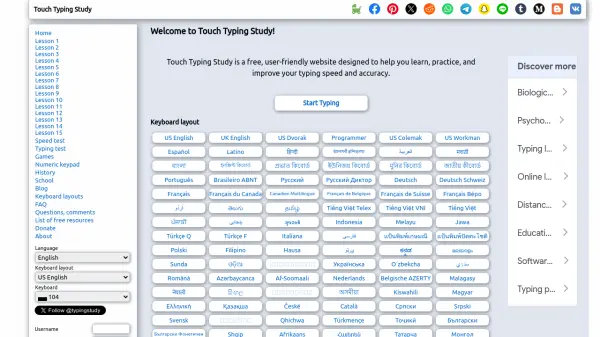
The platform includes 15 progressive lessons, a speed test, and interactive games to make practice engaging. Users can monitor their progress over time. With support for numerous keyboard layouts and languages, Touch Typing Study is accessible to a global audience seeking to enhance their typing skills.
Features
- 15 Progressive Lessons: Step-by-step lessons that gradually introduce keys and build muscle memory.
- Speed Test: Measure typing speed and accuracy with timed tests.
- Interactive Games: Fun typing games to reinforce skills while keeping practice enjoyable.
- Multiple Keyboard Layouts: Supports US English, UK English, Dvorak, Colemak, and many international layouts.
- Progress Monitoring: Track typing performance over time with personal history.
Use Cases
- Learning touch typing from scratch
- Improving typing speed and accuracy for work or school
- Practicing typing on alternative keyboard layouts like Dvorak or Colemak
- Preparing for data entry or transcription jobs
- Teaching typing skills in educational settings
FAQs
-
Is Touch Typing Study really free?
Yes, the website is completely free to use with no subscription fees. -
What keyboard layouts are supported?
Touch Typing Study supports a wide range of layouts including US English, UK English, Dvorak, Colemak, Workman, and many international layouts. -
Can I track my progress?
Yes, you can create an account to save your typing history and monitor your improvement over time. -
Are there typing games?
Yes, the site includes interactive games to make typing practice fun.