Typing.com favicon

Typing.com
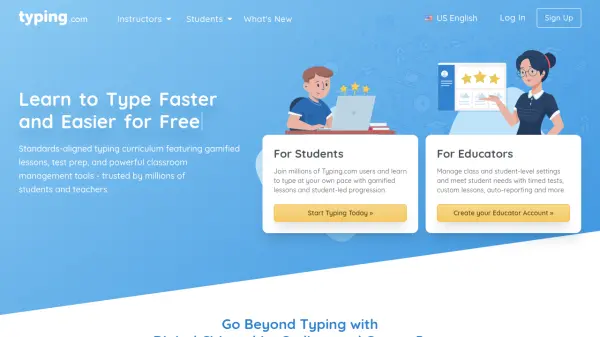
Learn to Type Faster and Easier for Free

What is Typing.com?

Typing.com provides a complete typing education platform designed to help users improve their keyboarding skills through structured lessons and interactive exercises. The platform features a curriculum aligned with educational standards, offering gamified learning experiences that make typing practice engaging for students of all skill levels.

Educators benefit from powerful classroom management tools including real-time progress tracking, customizable lessons, and automated reporting. The platform supports multiple languages and integrates with popular educational systems like Clever, ClassLink, and Google, making it accessible for schools and districts worldwide.

Features

  • Gamified Lessons: Interactive typing exercises designed to make learning engaging and fun
  • Classroom Management Tools: Real-time tracking, custom lessons, and automated reporting for educators
  • Standardized Test Preparation: Free response typing lessons to prepare students for exams
  • Multi-language Support: Available in English, Spanish, and Portuguese versions
  • Integration Capabilities: SSO and syncing with Clever, ClassLink, and Google platforms

Use Cases

  • Learning keyboarding skills from beginner to advanced levels
  • Classroom typing instruction for K-12 students
  • Standardized test preparation for typing assessments
  • Digital literacy and technology fundamentals education
  • Homeschool typing curriculum implementation

Related Tools:

Blogs:

  • Ghibli Art Generator AI tools

    Ghibli Art Generator AI tools

    List of the best AI tools to turn your photos into images that look like Studio Ghibli movies. Easy to use and fun for everyone.

  • Top AI tools for Teachers

    Top AI tools for Teachers

    Explore the top AI tools designed for teachers, revolutionizing the education landscape. These innovative tools leverage artificial intelligence to enhance teaching efficiency, personalize learning experiences, automate administrative tasks, and provide valuable insights, empowering educators to create engaging and effective educational environments.

  • AI tools for video voice overs

    AI tools for video voice overs

    Discover the next level of video production with AI-powered voiceover tools. Enhance your content effortlessly, ensuring professional-quality narration for your videos.

  • Top 6 AI note-taking tools for 2026: in-person, online, and hybrid use cases

    Top 6 AI note-taking tools for 2026: in-person, online, and hybrid use cases

    Most AI note-taking lists are really lists of meeting bots, which join your video call and transcribe it. That's useful, but it's half the picture. Decisions happen in hallway conversations, client dinners, on-site visits, and hybrid rooms where nobody is on a video link. This guide covers different parts of the note-taking workflow: hardware capture for in-person settings, platform-native tools for online calls, and AI layers for organizing and synthesizing what you've captured. It compares six tools by capture context, workflow fit, pricing, and limitations.

Didn't find tool you were looking for?

Be as detailed as possible for better results