todoZero favicon

todoZero
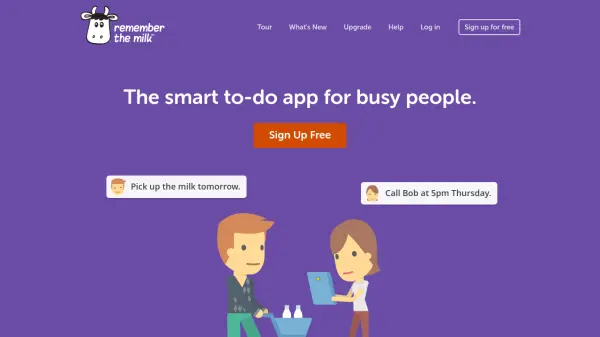
Organize your thoughts, capture your ideas and tackle your to-dos effortlessly.

What is todoZero?

todoZero provides a streamlined platform for task management and idea organization, enabling users to work more efficiently. It offers a distraction-free interface with flexible organization features that adapt to individual workflows.

The tool includes capabilities for scheduling alerts and reminders, supporting recurring tasks, and storing images. With options for unlimited to-dos and notes across multiple devices, it caters to both personal and professional productivity needs.

Features

  • Fastest Experience Ever: Simple shortcuts for triaging to-do lists and capturing ideas quickly
  • Your Way: Flexible organization features to customize daily workflows
  • Visually Elegant: Clean, distraction-free interface to boost focus and productivity
  • Alerts and Reminders: Easy scheduling and snoozing of to-dos with support for recurring tasks

Use Cases

  • Managing daily task lists and to-dos
  • Capturing and organizing ideas and notes
  • Setting reminders and alerts for important deadlines
  • Storing and accessing images related to tasks

Related Tools:

Blogs:

  • Best AI tools for Product Photography

    Best AI tools for Product Photography

    Explore top AI tools that can elevate your product photography, helping you enhance images, streamline workflows, and create professional visuals with ease.

  • Top 6 AI note-taking tools for 2026: in-person, online, and hybrid use cases

    Top 6 AI note-taking tools for 2026: in-person, online, and hybrid use cases

    Most AI note-taking lists are really lists of meeting bots, which join your video call and transcribe it. That's useful, but it's half the picture. Decisions happen in hallway conversations, client dinners, on-site visits, and hybrid rooms where nobody is on a video link. This guide covers different parts of the note-taking workflow: hardware capture for in-person settings, platform-native tools for online calls, and AI layers for organizing and synthesizing what you've captured. It compares six tools by capture context, workflow fit, pricing, and limitations.

  • AI thumbnail maker tools

    AI thumbnail maker tools

    Automatically generate visually appealing and optimized thumbnails for various digital content, streamlining the design process and enhancing visual engagement

  • Chat with PDF AI Tools

    Chat with PDF AI Tools

    Easily interact with your PDF documents using our advanced AI-powered tool. Whether you're reading lengthy reports, research papers, contracts, or eBooks, our platform lets you chat directly with your PDF files, ask questions, extract insights, and get summaries in real-time.

Didn't find tool you were looking for?

Be as detailed as possible for better results