What is Tildes?
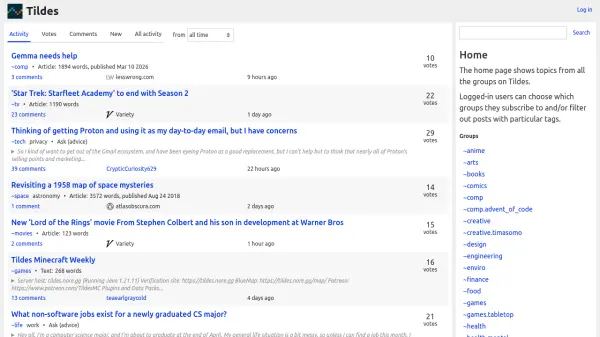
Tildes operates as a community-driven discussion platform where users can participate in conversations across a wide range of topics organized into groups. The platform features a structured interface with activity feeds, voting systems, and comment threads to foster engagement. Users can browse content from all groups or customize their experience by subscribing to specific groups and filtering posts by tags.
The platform supports various content types including articles, text posts, videos, and links, with discussions covering technology, entertainment, hobbies, science, and more. Tildes emphasizes community interaction through features like scheduled discussion topics, group-specific activities, and user-generated content moderation.
Features
- Group-Based Organization: Content is categorized into specific groups like ~tech, ~games, and ~movies for focused discussions
- Tag Filtering System: Users can filter posts using tags to find relevant content within groups
- Activity Feed Customization: Logged-in users can subscribe to groups and customize their activity feed
- Voting and Comment System: Users can vote on posts and participate in threaded comment discussions
- Scheduled Discussion Topics: Regular scheduled topics encourage ongoing community engagement
Use Cases
- Participating in topic-specific discussions and communities
- Sharing and discovering articles, videos, and other content
- Asking for advice or recommendations on various subjects
- Engaging in scheduled community discussions and book clubs
- Following specific interest groups for curated content