What is TIC-80?
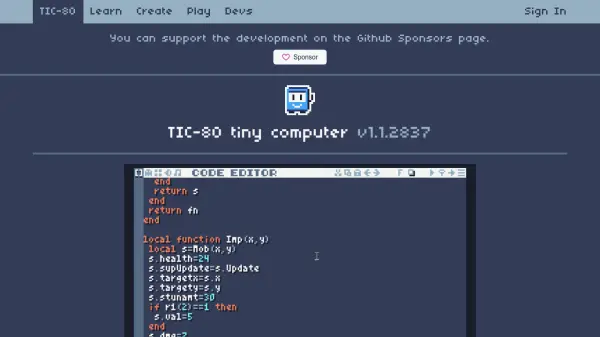
TIC-80 is a free and open-source fantasy computer designed for creating, playing, and sharing tiny games. It provides a complete development environment with integrated tools for coding, sprite design, map creation, sound editing, and command-line operations, allowing users to build mini retro games from start to finish. The platform enforces technical limitations such as a 240x136 pixel display, 16-color palette, 256 8x8 color sprites, and 4-channel sound to emulate classic gaming aesthetics.
Upon completion, games are saved as cartridge files that can be stored and played directly on the website. Additionally, games can be packaged into standalone players compatible with all major platforms, enabling easy distribution. TIC-80 fosters a community where developers can share their creations, with examples including labyrinth adventures, shogi with AI opponents, and Metroidvania-style platformers.
Features
- Built-in Development Tools: Integrated code, sprite, map, and sound editors with a command line for complete game creation
- Retro Technical Limitations: 240x136 pixel display, 16-color palette, 256 8x8 sprites, and 4-channel sound for authentic retro styling
- Cross-Platform Compatibility: Games can be packaged into players that work on all popular platforms for easy distribution
- Cartridge System: Output games as cartridge files that can be stored and played on the website
- Community Sharing: Platform for sharing and playing user-created games with examples like labyrinths, shogi, and platformers
Use Cases
- Creating retro-style mini games with built-in development tools
- Learning game development through a constrained, fantasy computer environment
- Sharing and playing user-generated games as cartridge files online
- Packaging games into standalone players for cross-platform distribution
- Experimenting with game design under technical limitations like limited colors and resolution