What is Zophar's Domain?
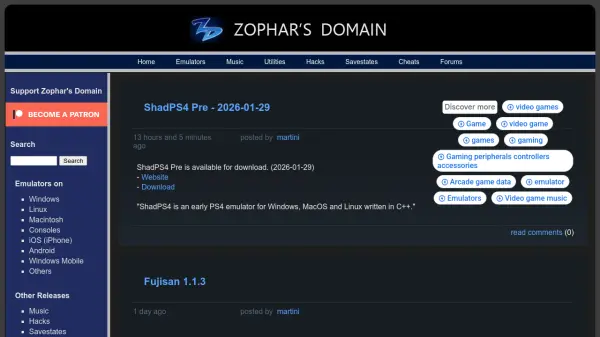
Zophar's Domain serves as a comprehensive repository and community hub for emulation resources, catering to retro gaming enthusiasts and developers. The platform aggregates emulators for various gaming systems including PlayStation, Nintendo, Sega, and classic computers, with support for Windows, Linux, Macintosh, Android, and other operating systems.
Beyond emulators, the site offers utilities for game modification, development tools, music files, hacks, savestates, cheats, and technical documentation. It functions as both a download portal and community forum where users can share their own uploads including custom hacks, translations, and technical documents for retro gaming systems.
Features
- Emulator Collection: Comprehensive database of emulators for various retro gaming systems
- Multi-Platform Support: Resources available for Windows, Linux, Macintosh, Android, iOS, and consoles
- Community Resources: User uploads including hacks, cheats, translations, and technical documents
- System Coverage: Support for popular systems like PlayStation, Nintendo, Sega, Commodore, and classic computers
- Utility Tools: Development, auditing, cheating, and game modification utilities
Use Cases
- Running retro games on modern operating systems
- Developing or modifying classic game ROMs
- Accessing game music and soundtracks from classic systems
- Creating and sharing game hacks and modifications
- Managing game libraries and emulation frontends
- Researching technical documentation for retro gaming systems
FAQs
-
What types of gaming systems are supported by emulators on Zophar's Domain?
The platform supports a wide range of retro gaming systems including PlayStation, Nintendo, Sega, Commodore, Atari, and various classic computer systems. -
Can users contribute their own content to Zophar's Domain?
Yes, users can upload their own hacks, cheats, movies, savestates, technical documents, and translations to share with the community. -
What operating systems are supported by the emulators available on the platform?
Emulators are available for Windows, Linux, Macintosh, iOS, Android, Windows Mobile, and various console platforms. -
Are there any premium features or paid subscriptions required to access resources?
The platform primarily offers free resources, though some individual emulators or tools mentioned may have their own pricing models.