
What is Three.do?
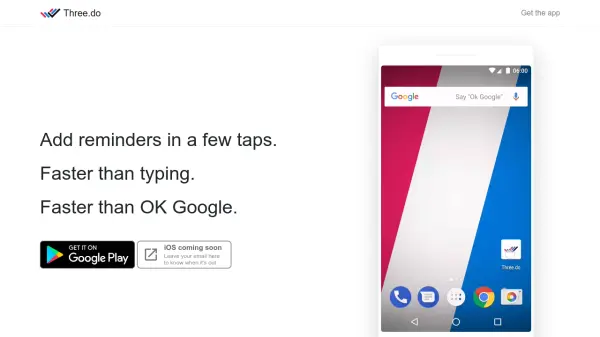
Three.do is a reminder application designed for speed and minimalism. It enables users to create reminders by tapping three hints: the who, the what, and the when. This approach is faster than typing or using voice assistants, allowing users to set tasks without distractions. The app focuses on short-term memory support, with the option to add details if necessary, and keeps upcoming tasks hidden to reduce anxiety.
The app features a clean, no-frills interface that prioritizes efficiency over organization. It offers fast startup times and an intuitive tile-tapping system that users can learn instinctively. While the core functionality is based on hints, users can still type and edit reminders as needed. Three.do is currently available with an iOS version coming soon, emphasizing a straightforward solution for remembering everyday tasks.
Features
- Fast Setup: Add reminders in a few taps using a three-hint system (who, what, when)
- Minimal Interface: No bells and whistles, hashtags, or lists for a clear and efficient experience
- Focus-Friendly: Tapping tiles is less distracting than typing or voice assistants
- Anxiety Reduction: Hides upcoming tasks unless accessed, reducing stress
- Flexible Editing: Allows typing and editing of reminders if hints are insufficient
Use Cases
- Setting quick reminders for daily tasks
- Remembering short-term commitments without detailed lists
- Reducing distraction while managing tasks
- Minimizing anxiety from overwhelming task lists
- Efficiently capturing ideas or to-dos on the go
FAQs
-
How does the three-tap system work in Three.do?
The three-tap system allows users to set reminders by selecting hints for who, what, and when, making it faster than typing or using voice assistants. -
Is Three.do available on iOS?
Three.do is currently available, with an iOS version coming soon; users can leave their email to be notified when it's released. -
Can I edit reminders after setting them with hints?
Yes, users can tap the title at any time to edit reminders in the usual way if hints are not sufficient. -
How does Three.do help reduce anxiety?
Three.do hides the list of upcoming tasks unless accessed, allowing users to set reminders and forget them until needed, reducing stress. -
What makes Three.do different from other reminder apps?
Three.do focuses on speed and minimalism with a three-tap hint system, fast startup, and a distraction-free interface, avoiding complex lists and organization features.