What is The Icon Set?
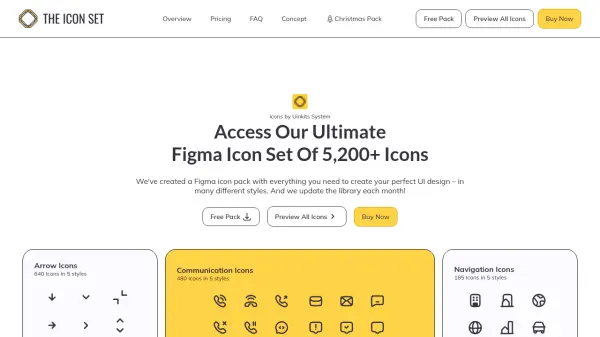
The Icon Set delivers an extensive collection of over 5,200 high-quality, fully customizable icons specifically designed for Figma users. Organized across 16 categories and available in five distinctive styles—Line, Duocolor, Duotone, Solid, and Thin—these icons streamline the design process for UI/UX professionals seeking consistency and creative flexibility.
Developed by designers for designers, every icon in the library is editable, alphabetically sorted, and tagged for quick location within Figma. The set supports use in unlimited projects, includes both free and paid versions, and is built with reusable variables for seamless prototyping and property changes. Whether creating web, app, brand, or UI system designs, users have access to a versatile icon library that supports efficient and modern workflow.
Features
- Vast Icon Library: Over 5,200 SVG icons available for Figma.
- Multiple Styles: Icons come in Line, Duocolor, Duotone, Solid, and Thin styles.
- Smart Tagging: Icons are alphabetically sorted and tagged for fast searching.
- Full Customizability: Easily adjust color, size, and style of any icon.
- Organized Categories: Icons grouped into 16 categories to cover wide-ranging design needs.
- Figma Optimization: Ready-to-use format and variables for fast import into Figma workflows.
- Free and Paid Options: 520+ icons offered for free; full library available with one-time purchase.
- Commercial Use: All icons can be used for unlimited personal or commercial projects.
- Easy Import: Icons quickly added to Figma via drag-and-drop or the import function.
- Ongoing Updates: Library expanded monthly to ensure fresh, modern icon choices.
Use Cases
- Enhancing UI/UX designs with consistent, professional iconography.
- Speeding up prototyping and wireframing processes in Figma.
- Building brand-specific designs by customizing icon styles and colors.
- Developing web, app, or dashboard interfaces with cohesive icon sets.
- Supporting design teams in creating scalable, reusable design systems.
- Creating commercial products with ready-to-use icons and no recurring fees.
- Educating design students with a comprehensive, editable icon resource.
FAQs
-
What formats are included with The Icon Set?
The icons are designed specifically for Figma and come as a Figma file, containing over 5,200 SVG icons in five different styles. -
Is there a free version of The Icon Set?
Yes, a free version is available offering over 520 icons, which can be used in unlimited UI/UX design projects. -
Can I use icons for commercial projects?
Yes, icons can be used in any commercial project, with no restrictions for paid licenses. Free icons require attribution. -
Is it a one-time payment?
A single purchase grants unlimited access to current and future icons with no recurring fees. -
How do I import the icon file into Figma?
Download the provided .fig file and import it into your Figma workspace via drag-and-drop or the import function.