TextInBetween favicon

TextInBetween
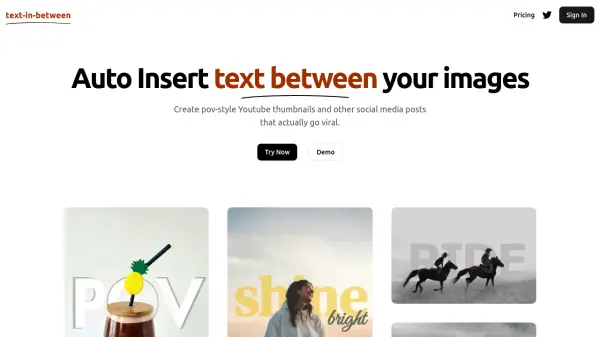
Auto-insert text between images for viral thumbnails

What is TextInBetween?

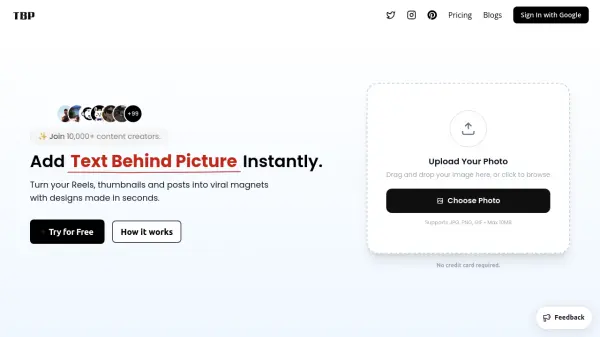
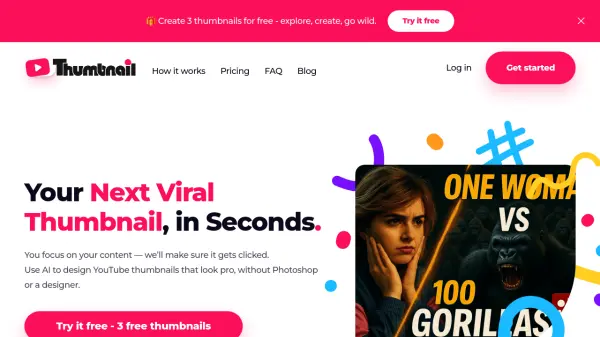
TextInBetween is an innovative AI-powered tool that streamlines the process of placing text between images, ideal for crafting unique pov-style YouTube thumbnails and visually striking social media posts. By automating text placement, the platform helps users design content that attracts attention and increases engagement on digital channels.

This service includes customization options and regular feature updates, making it especially valuable for content creators looking to enhance their posts' visual impact. Users can effortlessly generate eye-catching graphics, helping their media stand out in crowded online spaces.

Features

  • Auto Text Insertion: Automatically places text between images for seamless designs.
  • Pov-Style Thumbnail Creation: Optimized for eye-catching YouTube and social media visuals.
  • Customization Options: Offers adjustable features to tailor your graphics.
  • Access to New Features: Users receive regular updates with new functionalities.
  • Direct Support: Chat directly with the founder for personalized assistance.

Use Cases

  • Generating pov-style YouTube thumbnails for video content.
  • Designing viral social media posts with visually appealing text overlays.
  • Enhancing digital marketing materials for higher engagement.
  • Streamlining content creation for influencers and brands.
  • Quickly producing customized graphics for online campaigns.

Related Tools:

Blogs:

  • Boost Engagement in Ads with AI

    Boost Engagement in Ads with AI

    Discover how AI music and AI SDR agents are reshaping modern advertising. Learn how emotional resonance through AI-generated soundtracks combined with smart, automated sales outreach can turn viewers into loyal customers faster, cheaper, and more personally than ever before.

  • Chat with PDF AI Tools

    Chat with PDF AI Tools

    Easily interact with your PDF documents using our advanced AI-powered tool. Whether you're reading lengthy reports, research papers, contracts, or eBooks, our platform lets you chat directly with your PDF files, ask questions, extract insights, and get summaries in real-time.

  • Best AI tools for Room Design

    Best AI tools for Room Design

    Discover cutting-edge AI tools that redefine the art of room design. From layout optimization to aesthetic finesse, these top-tier tools enhance your space to new heights.

  • Top 6 AI note-taking tools for 2026: in-person, online, and hybrid use cases

    Top 6 AI note-taking tools for 2026: in-person, online, and hybrid use cases

    Most AI note-taking lists are really lists of meeting bots, which join your video call and transcribe it. That's useful, but it's half the picture. Decisions happen in hallway conversations, client dinners, on-site visits, and hybrid rooms where nobody is on a video link. This guide covers different parts of the note-taking workflow: hardware capture for in-person settings, platform-native tools for online calls, and AI layers for organizing and synthesizing what you've captured. It compares six tools by capture context, workflow fit, pricing, and limitations.

Didn't find tool you were looking for?

Be as detailed as possible for better results