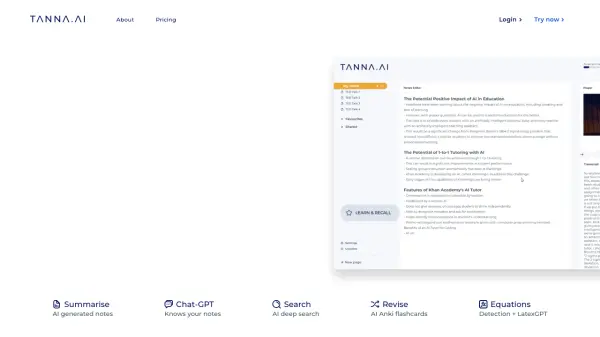
What is Tana?
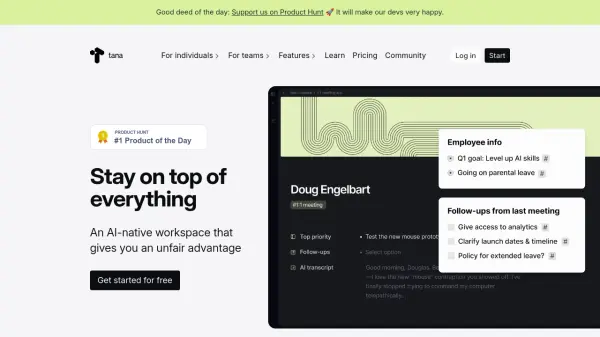
Tana is a revolutionary AI-native workspace that transforms how professionals manage their information and workflows. It combines sophisticated note-taking capabilities with intelligent features that allow users to instantly convert notes into various formats such as tasks, projects, webpages, strategy documents, and OKRs.
The platform stands out with its voice memo functionality, custom feeds, and powerful AI integration that helps process meetings and generate insights automatically. It serves as a comprehensive solution for both individuals and teams, offering features like live transcription, custom AI commands, and a flexible knowledge graph system that adapts to various professional needs.
Features
- Supertags: Convert notes into various formats like tasks and projects
- Custom Feeds: Automated organization of agenda items, goals, and tasks
- Voice Memos: Transform voice into structured content
- AI Meeting Assistant: Live transcription and automated meeting processing
- Knowledge Graph: Flexible information organization system
- Custom AI Commands: Personalized automation capabilities
- Mobile and Desktop Apps: Cross-platform accessibility
- Tana Publish: Content publishing functionality
Use Cases
- Meeting management and documentation
- Project planning and tracking
- Personal knowledge management
- Team collaboration and communication
- Research organization
- Content creation and planning
- Business process management
- Task and goal tracking
FAQs
-
How much AI is included in Tana's subscription plans?
This information is not provided in the content. -
What happens if I run out of AI credits?
This information is not provided in the content.