What is Swift Publisher?
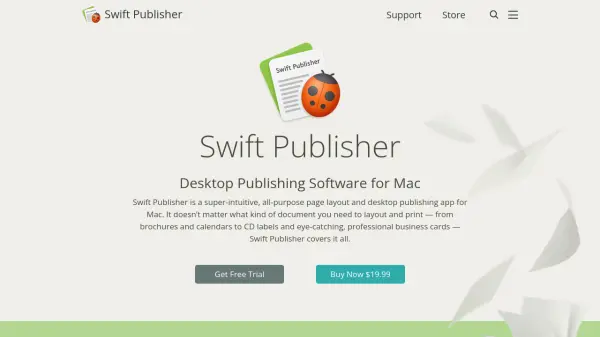
Swift Publisher is a comprehensive desktop publishing application designed specifically for Mac users, offering an intuitive interface for creating various print-ready documents. The software supports a wide range of projects including brochures, business cards, calendars, CD labels, and more, making it suitable for both personal and professional use.
With features like master pages for repeating content, flowing text boxes for complex layouts, and support for dynamic data fields and mail merge, Swift Publisher provides powerful tools for efficient document creation. The application also includes extensive export options to formats like PDF, PNG, and TIFF, ensuring compatibility with both home printers and professional print shops.
Features
- Customizable Templates: Over 500 pre-designed templates for various print projects
- Master Pages: Create repeating content like headers and footers across documents
- Flowing Text Boxes: Link text boxes for continuous text flow across pages and columns
- Dynamic Data Fields: Support for mail merge using Apple Contacts or text files
- Export Options: Export to PNG, TIFF, JPEG, EPS, and PDF formats for printing
Use Cases
- Designing professional business cards and brochures
- Creating custom labels and envelopes for mailing
- Producing disc labels and covers for media projects
- Developing magazine and newspaper layouts with spread view
- Batch printing of mailing labels using contact data
FAQs
-
What file formats can I export my projects to?
Swift Publisher supports exporting to PNG, TIFF, JPEG, EPS, and PDF formats for compatibility with print shops and other applications. -
Does Swift Publisher support mail merge functionality?
Yes, it supports dynamic data fields for mail merge using Apple Contacts or text files to batch-print labels, business cards, or name badges. -
Can I view two pages side-by-side while editing?
Yes, Swift Publisher includes a spread view mode that allows you to view and edit two pages side-by-side, which is useful for magazines and other double-page layouts. -
What kind of templates are included with Swift Publisher?
The software includes over 500 templates for various print projects such as brochures, business cards, disc labels, social media graphics, and address labels. -
Does Swift Publisher work with label printers?
Yes, it supports printers from DYMO, Zebra, Brother, Seiko, and Primera for printing on label rolls, as well as standard printers for paper layouts.