What is SpeedScriber?
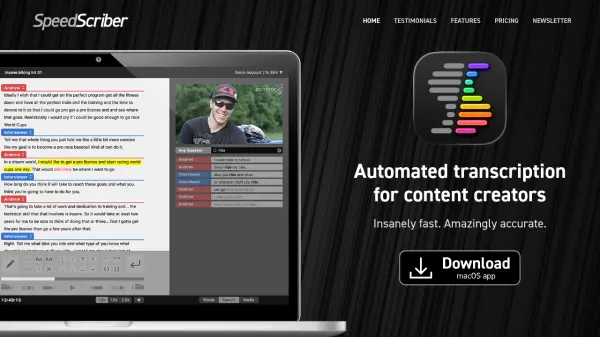
SpeedScriber is a specialized transcription tool that transforms how content creators handle audio and video files. It combines a macOS application with a cloud-based service to deliver rapid transcription capabilities. The platform allows users to import files directly from Finder or clips from Apple Final Cut Pro, which are then uploaded to servers for processing.
After transcription, users can efficiently edit punctuation and words using innovative controls before exporting transcripts in various formats. These include PDF, text files, Avid DS, iTunes Timed Text (.itt), SubRip (.srt) captions, Word (.docx), Avid Media Composer, Apple Final Cut Pro, and Adobe Premiere Pro. The service is optimized for workflow efficiency, enabling professionals to manage transcription tasks with precision and speed.
Features
- Import Capabilities: Import audio and video files from Finder or Apple Final Cut Pro clips
- Fast Transcription: Transcribe files in just a few minutes using cloud-based servers
- Editing Controls: Quickly edit punctuation and words with innovative editing tools
- Export Options: Export transcripts to PDF, text, Avid DS, iTunes Timed Text, SubRip captions, Word, Avid Media Composer, Final Cut Pro, and Adobe Premiere Pro
Use Cases
- Transcribing interviews for documentary production
- Creating captions for video content
- Generating scripts from recorded footage
- Producing transcripts for educational materials
- Editing audio and video projects with accurate text references