What is SpeedConnect Internet Accelerator?
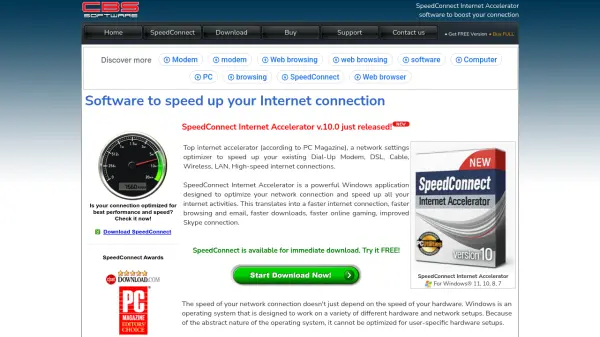
SpeedConnect Internet Accelerator is a powerful Windows application designed to optimize network connections and accelerate all internet activities. By adjusting TCP/IP parameters and system registry settings, it fine-tunes values to prevent data fragmentation and enhance connection throughput. This results in faster web browsing, email, downloads, uploads, online gaming, and improved VoIP connections like Skype.
The software supports multiple internet connection types including Dial-Up Modem, DSL, Cable, Wireless, LAN, and High-speed connections. It offers both Quick Optimizer mode for automatic optimization and Advanced mode for manual customization, providing tools like Connection Analyzer and Optimization Reports. SpeedConnect requires no hardware installation, subscription fees, or adware, making it a straightforward solution for improving internet performance on Windows systems.
Features
- Quick Optimizer: Provides automatic optimization for fastest speed improvement
- Advanced Customization: Allows manual access to all network settings for experienced users
- Connection Analyzer: Tools to analyze and optimize network performance
- Optimization Report: Generates reports on optimization results and settings
- Load/Save Settings: Ability to save and load customized network configurations
- Multi-Connection Support: Optimizes Dial-Up, DSL, Cable, Wireless, LAN, and other connection types
Use Cases
- Improving slow internet browsing speeds
- Accelerating file downloads and uploads
- Enhancing online gaming performance with reduced lag
- Optimizing Skype and other VoIP connections
- Boosting email sending and receiving speeds
- Increasing streaming quality for video and audio content
FAQs
-
What types of internet connections does SpeedConnect support?
SpeedConnect supports Dial-Up Modem, DSL, Cable, Wireless, LAN, High-speed, ISDN, T1, and Satellite connections. -
Does SpeedConnect require any hardware installation?
No, SpeedConnect requires no hardware installation - it works by optimizing software settings on your Windows system. -
What Windows versions are compatible with SpeedConnect?
SpeedConnect is compatible with Windows 11, 10, 8, and 7 operating systems. -
Is there a free version available?
Yes, SpeedConnect offers a free version that users can try before purchasing the full version.