Softaken favicon

Softaken
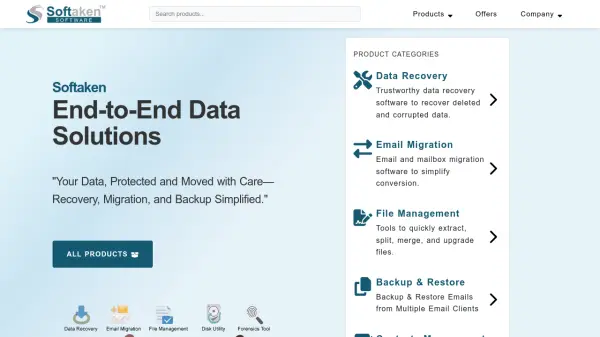
Your Data, Protected and Moved with Care—Recovery, Migration, and Backup Simplified

What is Softaken?

Softaken offers a suite of software tools designed for data conversion, email migration, backup and restore, and file management. Their solutions support multiple file formats including EML, MSG, MBOX, PST, OST, NSF, and more, enabling users to transfer data between different email clients and platforms. The software features a user-friendly interface that requires no technical expertise and is compatible with Windows operating systems.

With a focus on data security and integrity, Softaken ensures no data loss or formatting changes during migration processes. The company provides 24x7 technical support and offers a money-back guarantee, emphasizing reliability and customer satisfaction. Their tools are used by clients worldwide for managing emails, contacts, and files efficiently.

Features

  • Email Migration: Convert emails between formats like PST, EML, MBOX, and NSF
  • Backup and Restore: Backup emails from webmail applications and restore to local systems
  • File Management: Extract, split, merge, and upgrade files including PST and MSG
  • Data Recovery: Recover deleted and corrupted data with high recovery rates
  • Contacts Management: Transfer and manage contacts using VCF and CSV formats
  • Cloud Migration: Migrate data to cloud applications like Office 365 and G Suite

Use Cases

  • Migrating emails from Thunderbird to Outlook
  • Backing up Gmail emails to a local system
  • Recovering deleted files from a corrupted hard drive
  • Converting EML files to PDF for archiving
  • Managing contacts by merging or splitting VCF files
  • Transferring data to cloud platforms like Office 365

Related Tools:

Blogs:

  • Top 6 AI note-taking tools for 2026: in-person, online, and hybrid use cases

    Top 6 AI note-taking tools for 2026: in-person, online, and hybrid use cases

    Most AI note-taking lists are really lists of meeting bots, which join your video call and transcribe it. That's useful, but it's half the picture. Decisions happen in hallway conversations, client dinners, on-site visits, and hybrid rooms where nobody is on a video link. This guide covers different parts of the note-taking workflow: hardware capture for in-person settings, platform-native tools for online calls, and AI layers for organizing and synthesizing what you've captured. It compares six tools by capture context, workflow fit, pricing, and limitations.

  • Chat with PDF AI Tools

    Chat with PDF AI Tools

    Easily interact with your PDF documents using our advanced AI-powered tool. Whether you're reading lengthy reports, research papers, contracts, or eBooks, our platform lets you chat directly with your PDF files, ask questions, extract insights, and get summaries in real-time.

  • Best AI tools for Lawyers

    Best AI tools for Lawyers

    streamline legal processes, enhance research capabilities, and improve overall efficiency in the legal profession.

  • Best AI tools for Product Photography

    Best AI tools for Product Photography

    Explore top AI tools that can elevate your product photography, helping you enhance images, streamline workflows, and create professional visuals with ease.

Didn't find tool you were looking for?

Be as detailed as possible for better results