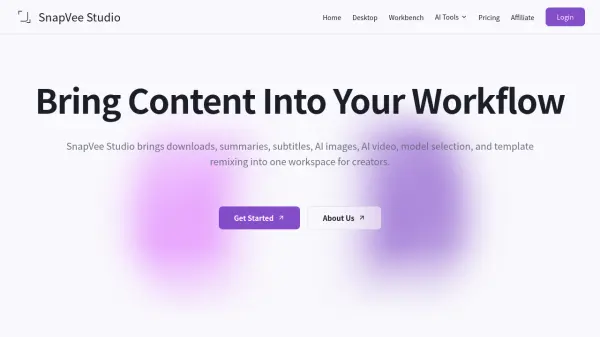
What is SnapVee Studio?
SnapVee Studio is a comprehensive content workspace designed for creators who need to manage media across multiple platforms without switching between separate tools. It supports video downloading from major platforms including YouTube, TikTok, Instagram, Twitter/X, Facebook, and Threads, alongside format conversion for video, audio, and images. The platform also offers AI-driven subtitle transcription, video summarization for content from YouTube and podcast platforms, and watermark removal for both images and videos.
On the AI creation side, SnapVee Studio provides tools for generating HD and advanced-model images, AI-powered video production (including ecommerce, comedy, anime, and short drama formats), and a dedicated AI Copy Optimizer. The platform operates on a separated credit system, distinguishing download points, video-processing minutes, and AI credits, allowing users to top up only the resource they need. It is available on both web and desktop (macOS and Windows), with a shared balance across devices and a free trial tier for new users to evaluate workflows before committing to a subscription.
Features
- Multi-Platform Video Downloader: Download videos and audio from YouTube, TikTok, Instagram, Twitter/X, Facebook, Threads, and other major global platforms in various resolutions.
- AI Subtitle Transcription: Automatically transcribe subtitles from YouTube, BiliBili, and podcast platforms.
- Video Summarization: Generate AI-powered summaries for YouTube videos, BiliBili content, and Xiaoyuzhou podcasts.
- AI Image Generation: Create HD and advanced-model images including social visuals, Instagram covers, TikTok covers, and ecommerce detail images.
- AI Video Production: Generate ecommerce videos, shoppable videos, comedy videos, anime videos, short dramas, and IP productions.
- Watermark Removal: Remove watermarks from both images and videos.
- Format Conversion: Convert video, audio, and image files, and merge audio and video tracks.
- AI Copy Optimizer: Optimize marketing and content copy using AI.
- Separated Credit System: Manage download points, video-processing minutes, and AI credits independently, with top-up add-on packs.
- Cross-Device Access: Shared balance across web and desktop (macOS and Windows) with support for up to 3 activated devices.
Use Cases
- Downloading videos from TikTok, YouTube, or Instagram for offline use or repurposing
- Transcribing subtitles for YouTube or BiliBili videos for accessibility or content reuse
- Summarizing long-form YouTube videos or podcasts for quick review
- Generating AI images for social media covers, ecommerce product pages, or marketing visuals
- Producing AI-generated videos for ecommerce, entertainment, or short-form content
- Removing watermarks from images or videos for clean content output
- Converting video, audio, or image files to different formats for platform compatibility
- Optimizing ad copy or content text using the AI Copy Optimizer
- Extracting audio from YouTube videos as MP3, M4A, or Opus files
- Managing all content production tasks from a single workspace without switching tools
How It Works
Sign Up and Choose a Plan
Create an account on SnapVee Studio. New users receive 60 trial credits valid for 7 days to test the platform. Upgrade to a Pro subscription or purchase add-on packs as needed.
Select Your Tool
Choose from the available tools including the video downloader, subtitle transcription, video summarizer, AI image generator, AI video producer, watermark remover, format converter, or AI Copy Optimizer.
Input Your Content or URL
Paste a video URL from supported platforms or upload your file, depending on the tool selected. Configure any relevant settings such as resolution, format, or language.
Process and Generate
The platform uses the appropriate resource bucket (download points, video-processing minutes, or AI credits) to process your request. Failed tasks automatically refund the corresponding resource.
Download or Use Your Output
Access your processed results directly from the web or desktop app. Balances are shared across both interfaces, allowing seamless switching between devices.
FAQs
-
How does the free plan work?
New users receive 60 trial credits, valid for 7 days, to lightly test downloads, subtitles/summaries, AI image generation, and desktop watermark removal. The free plan is intended for workflow validation; upgrading to Pro provides separate monthly download points, video-processing minutes, and AI credits. -
What is the difference between the Pro subscription and add-on packs?
Pro is a subscription with monthly refreshed download points, video minutes, and AI credits. Add-on packs are one-time purchases that stay available and are designed for temporary extra capacity or peak workloads. -
How are download points calculated under the Pro plan?
Pro includes 100 download points per month. 720p/audio costs 1 point, 1080p/2K costs 2 points, and 4K costs 5 points. When monthly points run out, users can purchase a download pack; purchased download points do not expire. -
What happens if I run out of AI credits or video minutes?
Tasks do not enter the processing queue when the matching resource bucket is too low. AI images, AI video, and premium models use AI credit packs, while subtitles and summaries use minute packs. Failed tasks refund the corresponding bucket. -
Is there a refund policy?
Digital products are generally non-refundable once service usage begins. If a technical issue completely prevents use, users should contact support within 7 days of purchase.