What is AI Image to Video Pro?
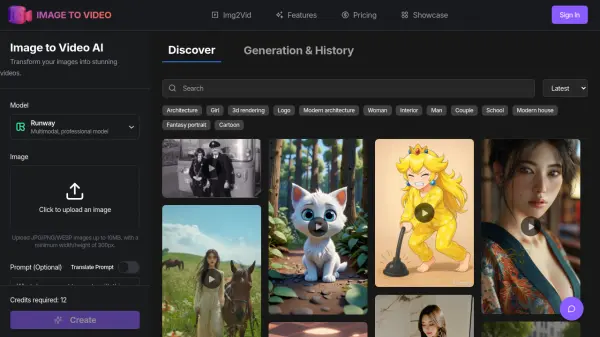
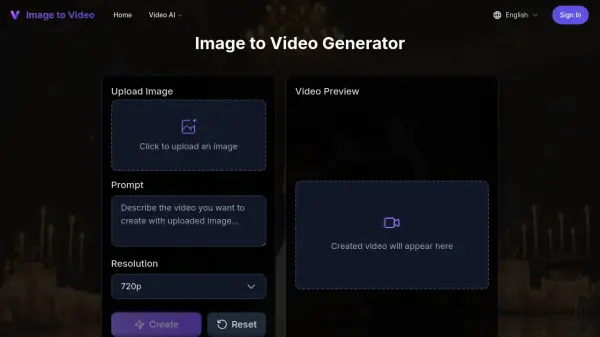
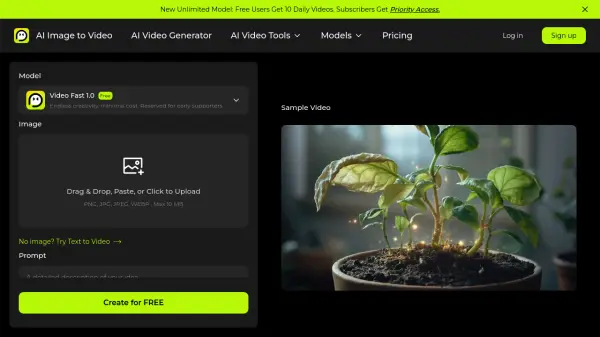
AI Image to Video Pro is a comprehensive platform that leverages artificial intelligence to transform static images into engaging video content. The tool supports multiple advanced AI models including Google Veo 3.1, Kling, Wan, and Hailuo, enabling users to generate professional-quality videos from simple image uploads. With its intuitive interface, users can combine image inputs with text prompts to create customized animations that range from 3 to 15 seconds in duration, with resolutions up to 1080p.
The platform offers versatile applications for content creators, marketers, real estate professionals, and social media influencers. Users can generate videos without watermarks on paid plans, making it suitable for professional use. The service includes a free tier that allows users to create 2 videos daily, while paid subscriptions provide expanded access to premium AI models and priority processing. The platform's credit-based system ensures flexible usage across different video generation needs.
Features
- Multiple AI Models: Access to Google Veo 3.1, Kling, Wan, Hailuo and other advanced AI video generation engines
- HD Video Output: Generate professional-quality videos up to 1080p resolution without watermarks on paid plans
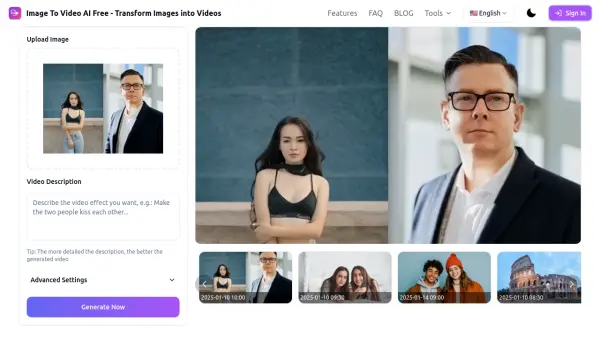
- Image + Text Prompts: Combine image uploads with descriptive text to control video generation and motion
- Flexible Duration: Create videos ranging from 3 to 15 seconds depending on selected AI model
- Multiple Aspect Ratios: Support for 1:1, 3:4, 4:3, 9:16, and 16:9 aspect ratios for different platforms
- Credit-Based System: Flexible usage model where different AI models consume 5 to 180+ credits per video
- Audio Support: Many models include synchronized audio generation for enhanced video output
- Free Daily Videos: Free tier users receive 2 daily video generations with limited features
- Priority Processing: Paid subscribers get priority access to new unlimited models and faster generation
Use Cases
- Social media content creation for Instagram, TikTok, and Facebook posts
- Product showcase videos for e-commerce and online stores
- Marketing and advertising content with dynamic product animations
- Real estate property tours from static interior and exterior photos
- Presentation demos with animated slides and visual elements
- Travel story videos from vacation photos
- Educational content with animated diagrams and illustrations
- Portfolio animations for creative professionals and designers
How It Works
Upload Your Image
Upload an image in JPG, PNG, or WEBP format (max 10 MB). Crop or adjust the frame to match your desired aspect ratio for the video output.
Customize Video Settings
Enter a text prompt to guide the AI video generation or leave blank for automatic processing. Select your preferred AI model, adjust duration (3-15 seconds), resolution (480p-1080p), and aspect ratio.
Generate and Export
Click the generate button and wait for the AI to render your video. Preview the motion and effects, then export your final video without watermarks on paid plans.
FAQs
-
What are credits and how do they work?
Credits are the currency used to generate videos on the platform. Each video output consumes a specific number of credits depending on the AI model selected. Free users receive daily credits for 2 videos, while paid plans provide monthly credits that renew based on the subscription cycle. -
Do unused credits roll over to the next billing period?
No, monthly credits on Standard and Pro plans expire at the end of your billing cycle. Unused credits from annual subscriptions expire at the end of the yearly term. Enterprise plans may have custom rollover agreements. -
What image formats are supported?
The platform supports PNG, JPG, JPEG, and WEBP image formats with a maximum file size of 10 MB per upload. -
What happens if I run out of credits during the month?
If you reach your monthly credit limit, your ability to generate new videos will be paused until your next billing cycle begins. You can upgrade to a higher plan at any time to immediately receive a new credit allocation. -
Can I cancel my subscription at any time?
Yes, you can cancel your subscription at any time through your account settings. Your paid access will remain active until the end of the current billing period, whether monthly or yearly.