What is SlideKit?
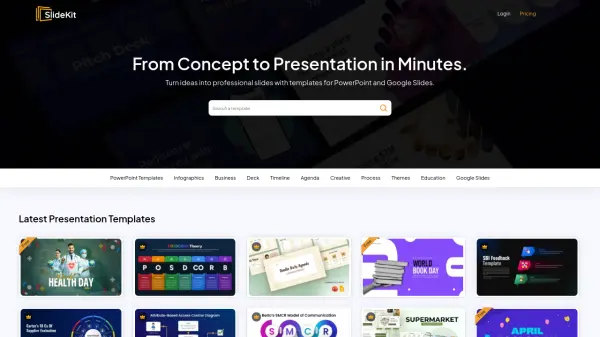
SlideKit offers a comprehensive collection of professionally designed presentation templates for PowerPoint and Google Slides, enabling users to create polished slides efficiently. The platform provides access to an extensive library of fully editable templates across various categories including business, education, infographics, timelines, and creative themes. Users can download templates that are 100% vector-based, allowing for easy customization of colors, resizing, and theming without starting from scratch.
The service includes a Google Slides add-on that integrates directly with Google Workspace, bringing template functionality directly into the presentation workflow. With new templates added regularly, users have access to fresh designs for different occasions and purposes, from business pitches to educational presentations. The platform emphasizes time-saving by eliminating the need to design slides from scratch while maintaining professional quality standards.
Features
- Template Library: Access to entire library of PowerPoint and Google Slides templates across multiple categories
- Google Slides Integration: Add-on for Google Slides that brings template functionality directly into Google Workspace
- Fully Editable Designs: 100% vector slides that can be resized, rethemed, and customized
- Regular Updates: New templates added to the database every day
- Multiple Download Options: Various subscription plans with different download limits and features
Use Cases
- Creating business presentations for meetings and pitches
- Developing educational materials for classrooms and workshops
- Designing infographics and visual reports
- Building project timelines and roadmaps
- Creating marketing and sales presentations
- Developing creative portfolios and personal projects
- Preparing conference and event presentations
- Creating training materials and workshop decks
FAQs
-
What payment methods does SlideKit accept?
SlideKit accepts payments through Stripe, which provides secure online payment processing without capturing credit card details directly. -
Can I cancel my subscription at any time?
Yes, you can cancel your subscription at any time with no restrictions, and you will maintain access until the end of your current billing period. -
Is there a refund policy?
Yes, membership subscriptions are refundable within the first week if you have downloaded less than 5 packs, but you cannot use downloaded resources commercially if requesting a refund. -
Can I hire the SlideKit team for customization work?
Yes, you can contact SlideKit to discuss freelance customization projects, and they will provide estimates and quotes based on your requirements.